• ShipSaaSDocumentation
  • Introduction
  • Getting Started
    • Installation
    • Environment Setup
    • Database Setup
    • Development Guide
  • Database
    • Repository Pattern
    • Drizzle Queries
    • Migration Workflow
    • Drizzle Studio
    • Best Practices
  • File Management
    • File Upload Component
    • Server Actions
    • Storage Configuration
  • Authentication Methods
    • Credentials Authentication
    • Magic Link Authentication
    • Two-Factor Authentication (2FA)
    • Social Authentication
    • API Keys & Bearer Tokens
    • Organizations (Multi-tenant)
  • Authorization & Permissions
    • Roles & Hierarchy
    • Route Protection
    • API Protection
    • CASL Permissions
  • Email & Notifications
    • Resend Setup
    • React Email Templates
    • Notification System
    • Email Workflows
    • Customization & Extension
  • Stripe & Payments
    • Stripe Setup
    • Better Auth Integration
    • Checkout Methods
    • Subscription Management
    • Admin Dashboard
    • Webhook Events
  • Architecture & Development
    • Presentation Layer
    • Service Layer
    • Persistence Layer
    • Helpers Architecture
    • Project Structure
    • Development Workflow
  • Testing
    • General Testing
    • Unit Testing
    • UI Component Testing
    • Repository Testing
    • Service Testing
    • End-to-End Testing
  • Deployment
    • Vercel Deployment
    • GitHub Actions CI/CD
    • Database Backup & Restore
    • Database Migrations
    • Troubleshooting Deployment
  • AI Agents Integration
  • Blog Management
    • Blog Setup
    • MDX Blog
    • Database Blog
  • Async Tasks
    • Setup
    • Email Workflows
    • Payment Processing
    • Maintenance Jobs
  1. Documentation
  2. Blog Management
Buydocschangelogsdemocommunity

Blog Management

PreviousAI Agents IntegrationNextBlog Setup
On this page
Blog System OverviewContent StrategyWhen to Use Each SystemBlog Guides

The SaaS boilerplate includes a comprehensive blog system with dual content sources for maximum flexibility.

Dual System: The boilerplate supports both static MDX files and database-stored markdown with a full admin interface for content management.

Blog System Overview

The blog system provides two complementary approaches:

Dynamic Content Management

  • Full CRUD operations through admin dashboard
  • Multi-language support with translations
  • Categories and hashtag taxonomy
  • Publishing workflow with draft/published states
  • Analytics tracking (views, likes)
  • User role-based content creation

Route: /blog Admin: /admin/blog

Admin Blog Management Interface:
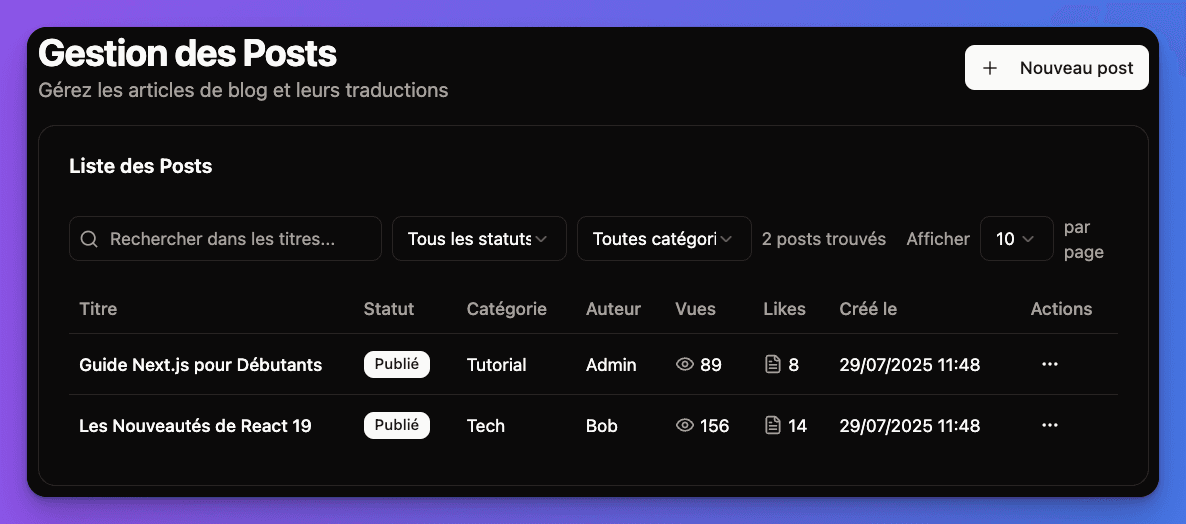
Blog admin management interface with post list

File-based Content

  • MDX files with React components
  • Git-based workflow
  • Developer-friendly editing
  • Static generation for performance
  • Type-safe frontmatter

Route: /blog/mdx Content: _files/ directory

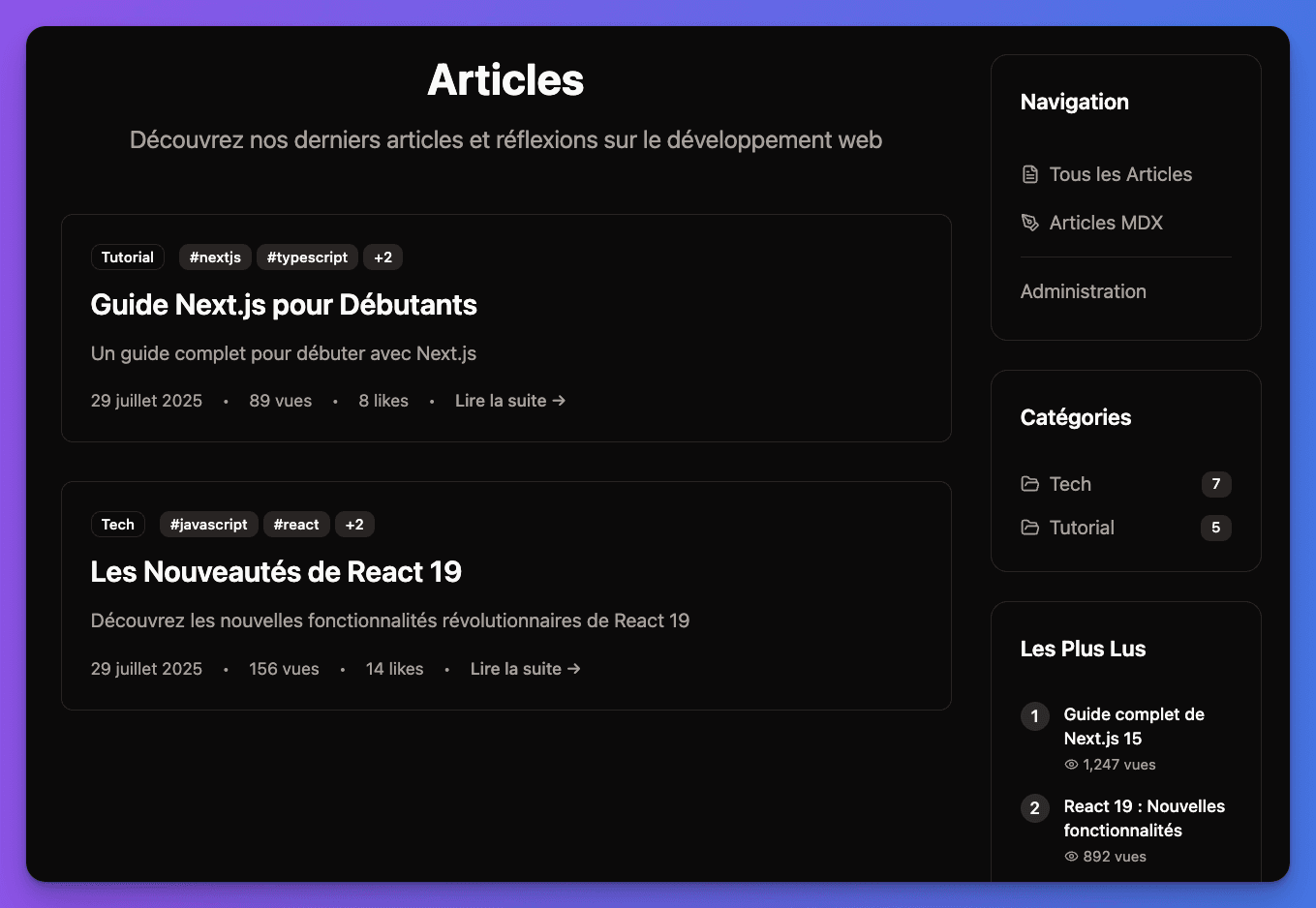
Frontend Blog Interface:

Frontend blog list interface

Content Strategy

When to Use Each System

📝 Database Blog

Perfect for dynamic content with multiple authors and frequent updates

  • • Marketing and business content
  • • Multiple content creators
  • • Multi-language content
  • • Content approval workflows
  • • Analytics and tracking

📄 MDX Blog

Ideal for technical content with interactive components

  • • Technical documentation
  • • Developer content
  • • Interactive demos
  • • Version-controlled content
  • • Rich React components

Blog Guides

⚙️

Blog Setup

Enable blog features, configuration, and environment setup

📄

MDX Blog

Static content with React components and file-based workflow

🗄️

Database Blog

Admin dashboard with multi-language support and dynamic content

Flexible Architecture: Use both systems to cover all your content needs - database for dynamic content and MDX for technical documentation.