This SaaS boilerplate is designed as an AI-first development environment, leveraging intelligent agents to accelerate development while maintaining code quality and architectural consistency.
AI-Powered Development: Every component, service, and feature in this boilerplate can be generated, modified, and enhanced by AI agents following precise architectural guidelines.
AI Development Philosophy
The boilerplate embraces AI-assisted development through:
- Structured Guidelines: Every architectural decision is codified in rules that AI agents can understand and follow
- Intelligent Code Generation: AI agents generate code that matches existing patterns and conventions
- Consistent Quality: Rules ensure AI-generated code meets the same standards as human-written code
- Accelerated Development: Complex features can be implemented rapidly while maintaining architectural integrity
Agent Configuration System
CLAUDE.md - Claude Code Integration
File: CLAUDE.md at repository root
The boilerplate includes comprehensive guidelines for Claude Code (claude.ai/code):
bash
# Start development servers
pnpm dev              # Blog app (default)
pnpm devcodemail      # CodeMail app
pnpm devlanding       # Landing pages
pnpm devurl           # URL shortener
pnpm devship          # ShipSaaS app

# Build applications
pnpm build            # Build selected apps
pnpm build-all        # Build all apps
pnpm build-packages   # Build shared packages

# Testing & Quality
pnpm test             # Run tests
pnpm lint             # Run linting
pnpm format:fix       # Fix formatting

# Database operations
pnpm db:generate      # Generate migrations
pnpm db:migrate       # Run migrations
pnpm db:studio # Open Drizzle StudioAGENTS.md - Multi-Agent Guidelines
File: AGENTS.md at repository root
Provides universal guidelines for all AI agents working with the codebase:
Key Directives:
- Read guardrails in
CLAUDE.mdand.cursor/rules/ - Follow stricter guidance when conflicts arise
- Maintain architectural consistency
- Use established patterns and conventions
Project Structure Guidance:
apps/*: Customer-facing Next.js applicationspackages/*: Shared logic and utilities- Proper workspace organization
- Clear separation of concerns
Cursor Rules - Specialized Guidelines
Directory: .cursor/rules/ (21 specialized rule files)
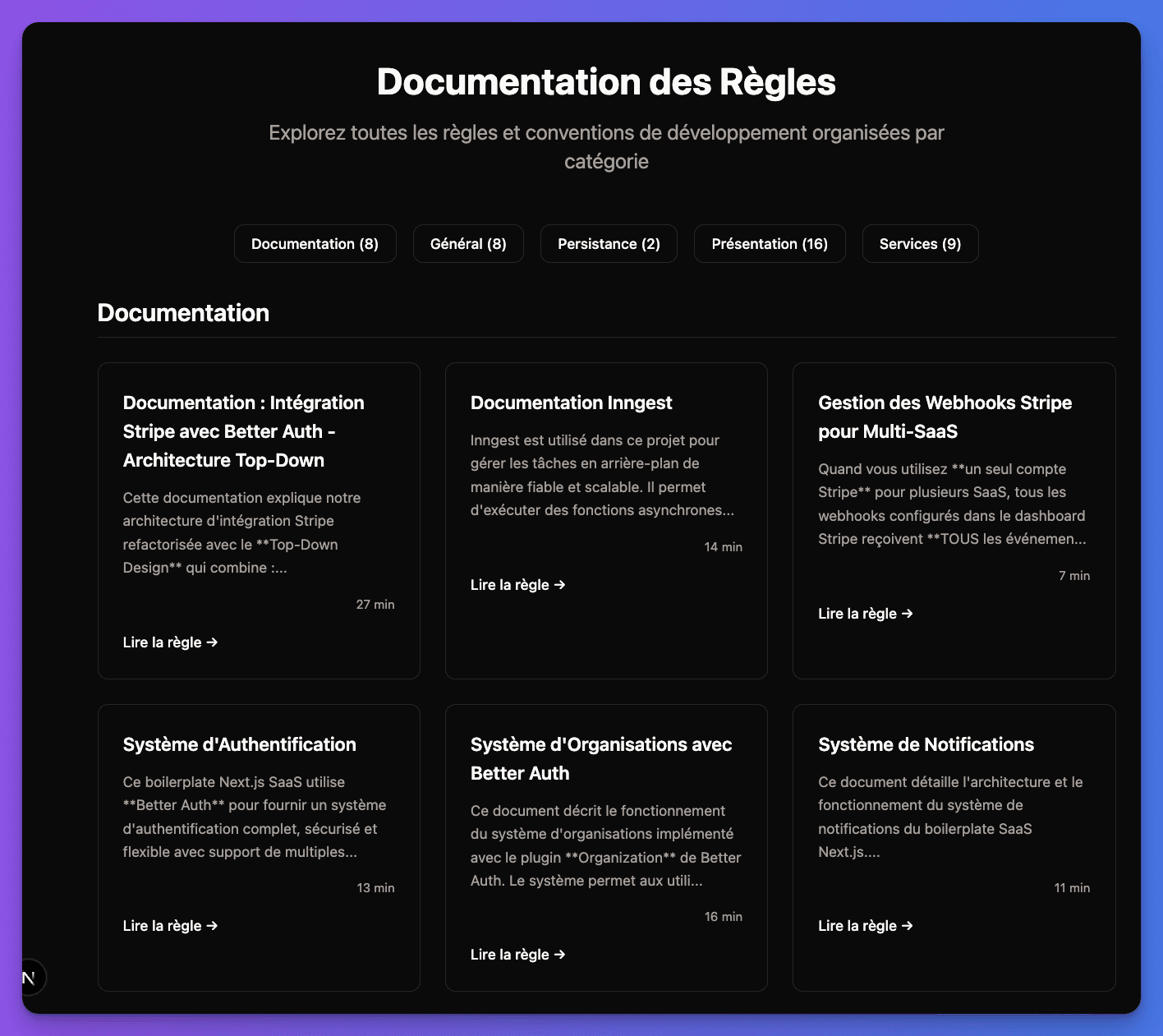
Each rule file provides detailed instructions for specific aspects of development:
AI Rules Management Interface:
Architecture Rules
- •
rule-service.mdc- Service layer patterns - •
rule-repository.mdc- Data access patterns - •
rule-dal.mdc- Data Access Layer - •
rule-presentation.mdc- UI layer
Feature Rules
- •
rule-authorization.mdc- RBAC and permissions - •
rule-validation-layer.mdc- Input validation - •
rule-persistence.mdc- Database operations - •
rule-service-testing.mdc- Testing strategies
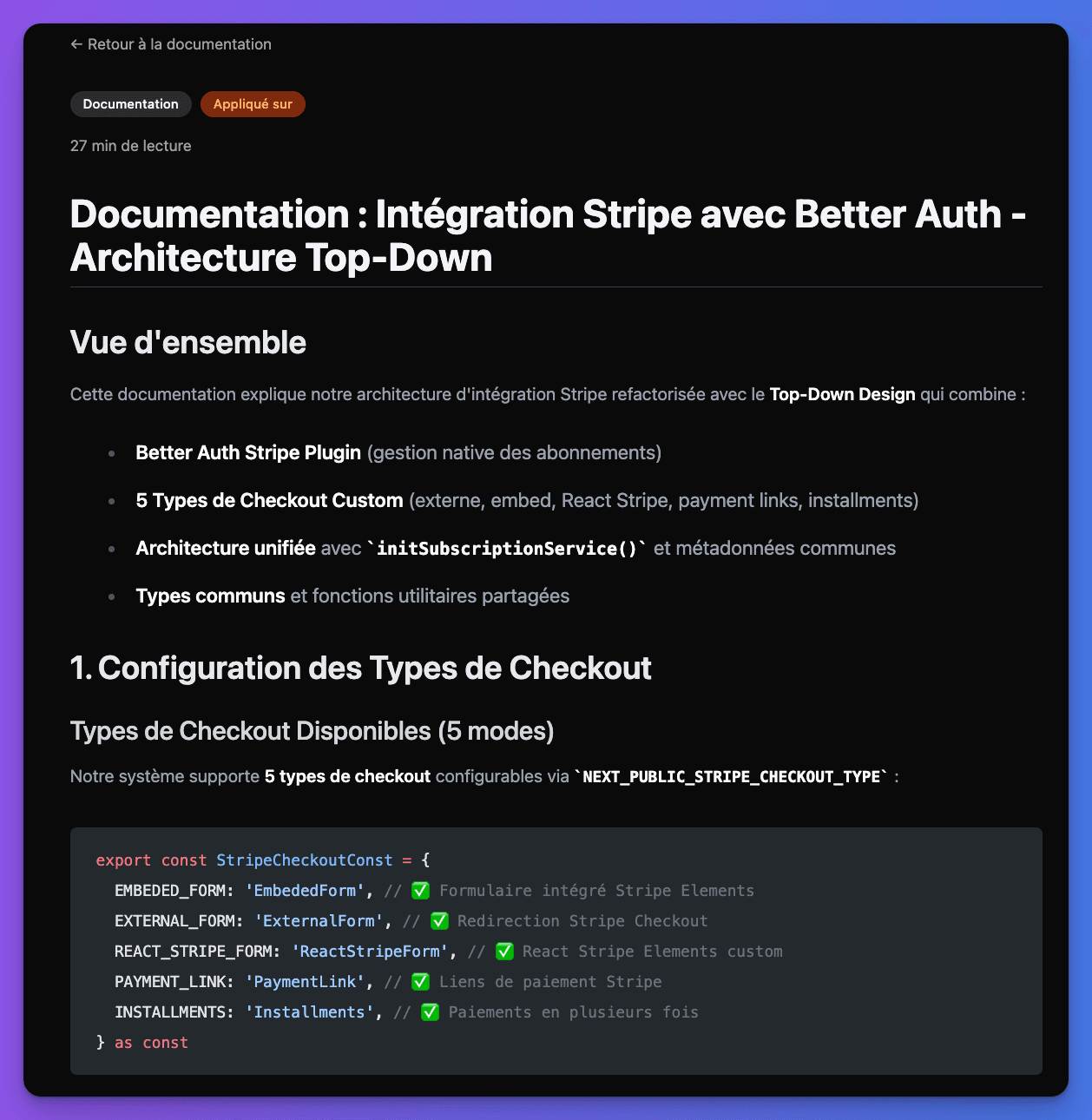
Detailed Rules Configuration:
AI-Generated Code Quality
Architectural Consistency
AI agents follow strict architectural patterns ensuring:
1
Service Layer Adherence
All business logic follows the service layer pattern with proper authorization, validation, and error handling.
typescript
// AI generates services following established patterns
export class UserService {
  async createUser(data: CreateUserInput): Promise<User> {
    // Validation
    const validatedData = createUserSchema.parse(data)

    // Authorization check
    await this.authService.requirePermission('user:create')

    // Business logic
    return this.userRepository.create(validatedData)
  }
}
2
Type Safety
Generated code maintains full TypeScript safety with proper interfaces and schema validation.
typescript
// AI follows established type patterns
interface CreateUserInput {
  email: string
  name: string
  role: UserRole
}

const createUserSchema = z.object({
  email: z.string().email(),
  name: z.string().min(2),
  role: z.nativeEnum(UserRole)
})
3
Testing Integration
AI-generated features include comprehensive tests following the established 6-layer testing strategy.
typescript
// AI generates tests matching patterns
describe('UserService', () => {
  it('should create user with proper authorization', async () => {
    // Follows established testing patterns
    const mockUser = createMockUser()
    mockAuthService.requirePermission.mockResolvedValue(true)

    const result = await userService.createUser(mockUser)
    expect(result).toMatchObject(mockUser)
  })
})
Code Generation Standards
AI agents generate code that meets production standards:
- Security First: All operations include proper authorization checks
- Error Handling: Comprehensive error handling with custom error classes
- Performance: Optimized database queries and caching strategies
- Maintainability: Clear, self-documenting code with proper abstractions
- Testing: Full test coverage following established patterns
Working with AI Agents
Best Practices
Effective AI Collaboration: Provide clear context about the feature you're building, reference existing patterns, and let the AI agents handle implementation details.
Development Workflow:
- Define Requirements: Clearly specify what you want to build
- Reference Patterns: Point to similar existing features
- Let AI Generate: Allow agents to create code following established rules
- Review & Iterate: Make adjustments while maintaining architectural consistency
Example AI Prompts:
"Create a subscription management service following the existing service patterns,
with RBAC authorization, Zod validation, and comprehensive tests"

"Add a new email notification type for subscription renewals,
following the existing email templates structure"

"Implement a new dashboard widget for user analytics,
following the existing widget patterns in the dashboard"
Rule-Based Development
Each rule file contains specific instructions that AI agents follow:
Key Guidelines:
- Always validate inputs with Zod schemas
- Include authorization checks before operations
- Use repository pattern for data access
- Implement proper error handling
- Follow interceptor patterns for logging
Documentation Generation
The boilerplate includes AI-powered documentation generation:
Rule File: rule-shipsaas-generate-doc.mdc
This specialized rule enables AI agents to generate comprehensive documentation that:
- Follows established MDX patterns
- Uses proper component syntax (Callout, Steps, Tabs)
- Documents actual boilerplate functionality
- Maintains consistency across sections
- Provides practical, actionable guidance
This entire documentation was generated by AI agents following the documentation generation rules!
Benefits of AI Integration
Development Acceleration
- Rapid Prototyping: New features can be implemented in minutes
- Consistent Quality: AI follows established patterns automatically
- Reduced Boilerplate: Repetitive code is generated following templates
- Comprehensive Testing: Tests are generated alongside features
Architectural Integrity
- Pattern Consistency: All code follows the same architectural patterns
- Security Compliance: Authorization and validation are built-in
- Type Safety: TypeScript patterns are maintained automatically
- Best Practices: Industry standards are enforced through rules
Knowledge Preservation
- Codified Decisions: Architectural decisions are preserved in rules
- Transferable Knowledge: New team members can leverage AI guidance
- Evolution Friendly: Rules can be updated as patterns evolve
- Documentation Sync: Code and documentation stay aligned
AI-Ready Codebase: This boilerplate demonstrates how proper architectural guidelines enable AI agents to generate production-quality code that seamlessly integrates with existing systems.
Ready to leverage AI in your development? The comprehensive rule system ensures that AI agents become force multipliers for your development team while maintaining code quality and architectural consistency.