The boilerplate includes a comprehensive admin dashboard for managing subscription plans, monitoring customer subscriptions, and analyzing payment data.
Universal Feature: This admin dashboard works with both Better Auth and Custom Boilerplate payment systems. You can manage all subscriptions and customers from the same interface regardless of how they were created.
Perfect for: Complete business management with plan configuration, customer oversight, revenue tracking, and operational analytics.
Admin Dashboard Overview
The admin dashboard is accessible at /admin/ (requires ADMIN role) and includes specialized sections for payment management:
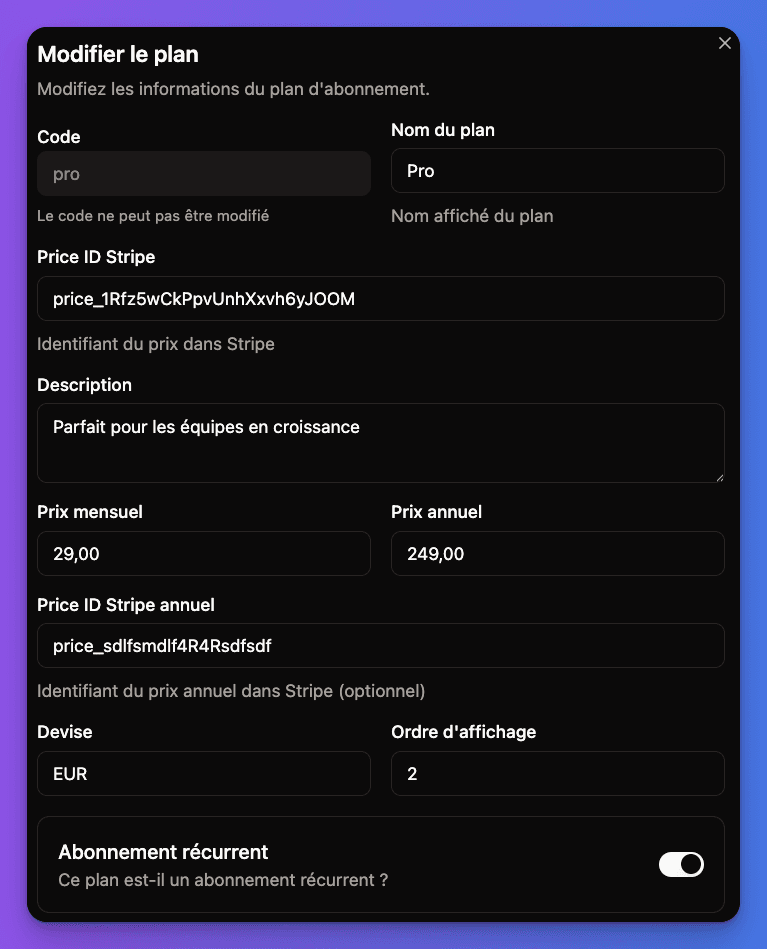
Location: /admin/plans/
Features:
- Create and edit subscription plans
- Configure pricing and billing cycles
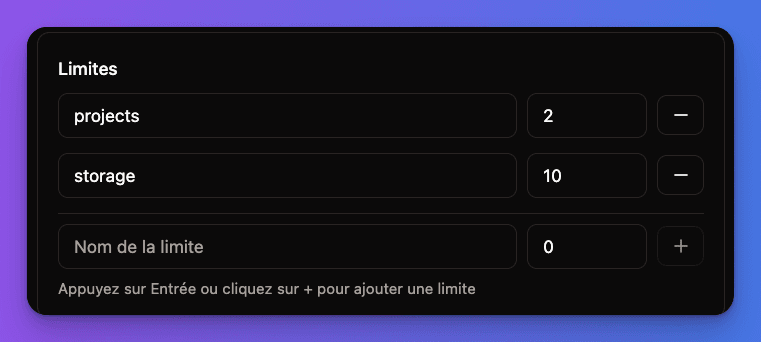
- Set feature limits and restrictions
- Manage plan availability
- Sync with Stripe products/prices
Plan Configuration:
- Monthly/yearly pricing options
- Feature toggles and limits
- User seat management
- Trial period settings
Admin Plans Management Interface:
Plan Limits Configuration:
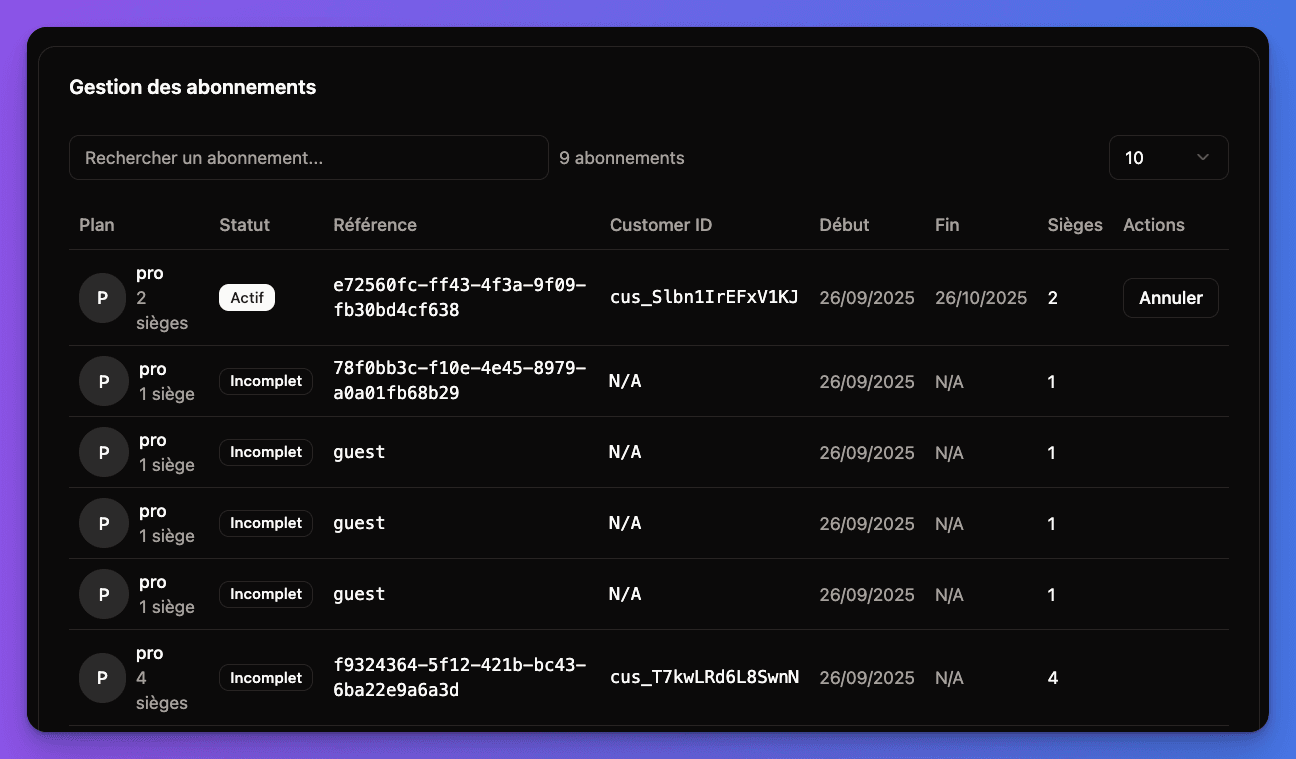
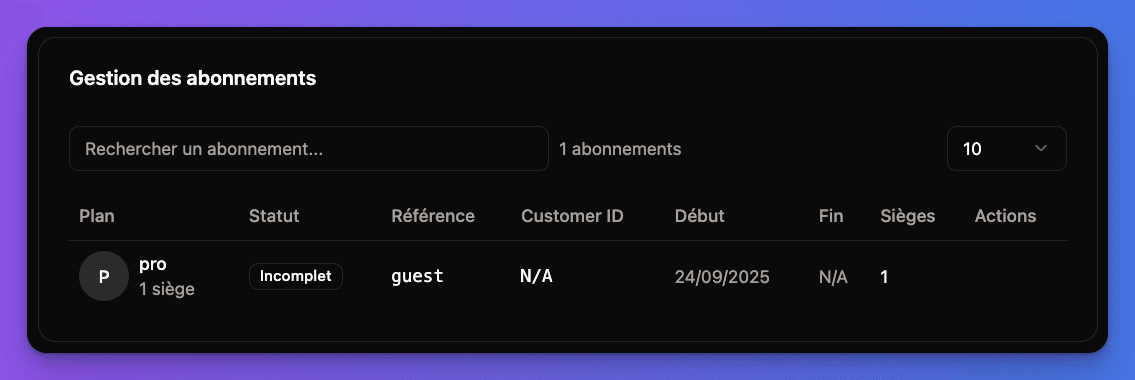
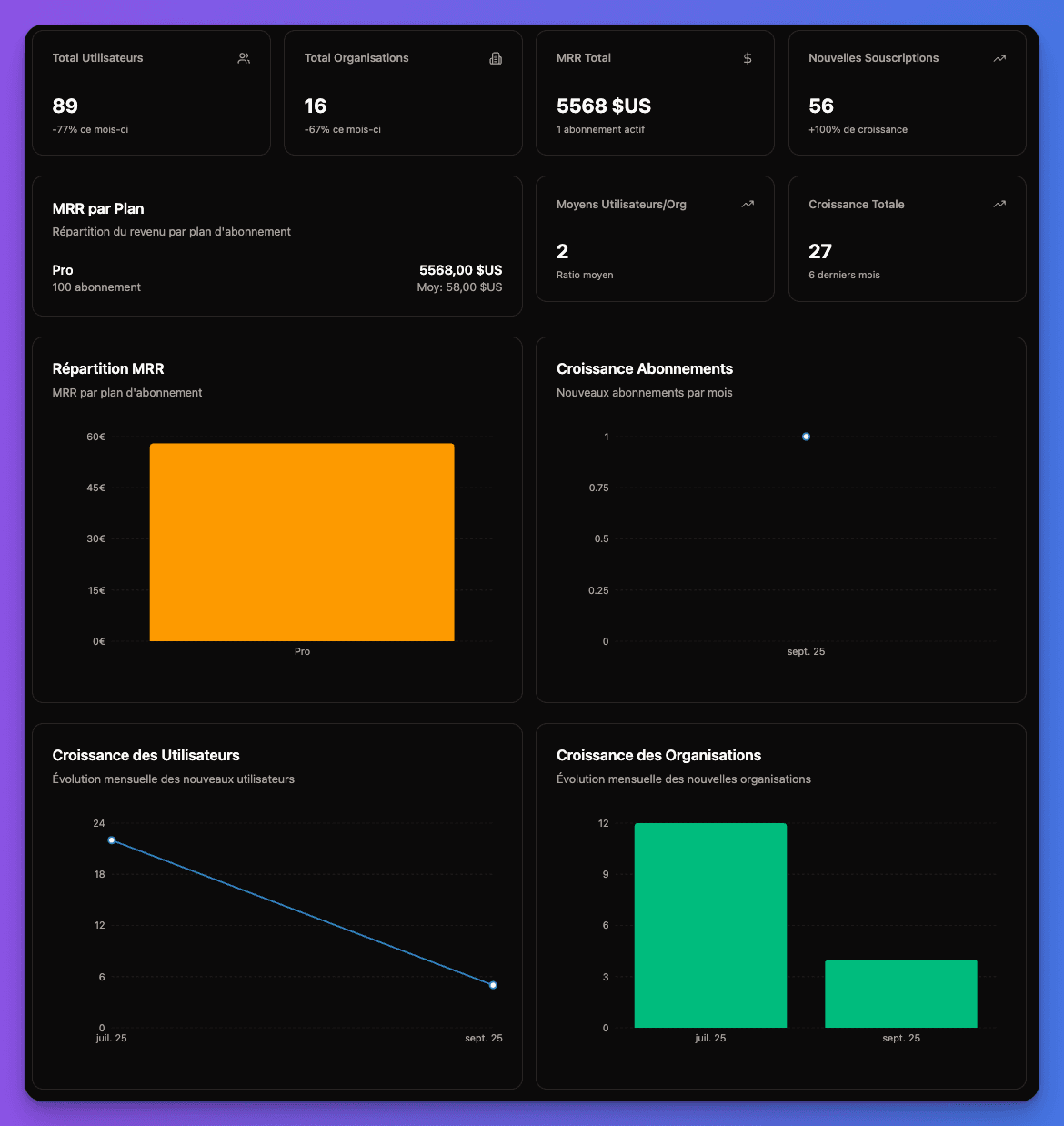
Plan Management Interface
Creating Subscription Plans
Plan Creation Process:
1
Basic Plan Information
Configure core plan details:
typescript
// Plan structure (conceptual)
interface PlanConfiguration {
  name: string              // "Professional Plan"
  code: string             // "pro-monthly"
  description: string      // Plan description
  isActive: boolean       // Plan availability
  isRecurring: boolean    // One-time vs recurring
}
2
Pricing Configuration
Set up pricing structure:
typescript
interface PricingConfiguration {
  monthlyPrice: number     // Monthly subscription price
  yearlyPrice: number      // Annual subscription price
  currency: string         // "USD", "EUR", etc.
  trialDays: number       // Free trial period
  setupFee?: number       // One-time setup cost
}
3
Feature Limits
Define plan limitations:
typescript
interface PlanLimits {
  maxUsers: number         // User seat limit
  maxProjects: number      // Project limit
  maxStorage: number       // Storage in GB
  apiCalls: number        // Monthly API call limit
  features: string[]      // Available features
}
4
Stripe Integration
Connect with Stripe products:
- Link to Stripe Product ID
- Associate with Price IDs (monthly/yearly)
- Configure billing intervals
- Set up metered billing (if applicable)
Plan Management Features
Plan Operations:
Editable Properties:
- Plan name and description
- Feature availability toggles
- Usage limits and quotas
- Plan visibility (public/private)
- Marketing copy and benefits
Change Management:
- Version control for plan changes
- Grandfathering existing customers
- Migration tools for plan updates
- A/B testing different plan configurations
Subscription Analytics
Revenue Dashboard
Key Metrics:
- Monthly Recurring Revenue (MRR)
- Annual Recurring Revenue (ARR)
- Customer Lifetime Value (CLV)
- Churn rate and retention
- Revenue by plan type
Visual Analytics:
- Revenue trend charts
- Plan popularity metrics
- Geographic revenue distribution
- Cohort analysis
- Subscription growth rates
Customer Analytics
Subscription Metrics:
- New subscriptions per period
- Subscription upgrades/downgrades
- Cancellation reasons
- Trial conversion rates
- Payment success rates
Customer Insights:
- Customer acquisition cost
- Time to first payment
- Feature usage by plan
- Support ticket correlation
- User engagement scores
Payment Management Tools
Failed Payment Resolution
Payment Failure Handling:
1
Failure Detection
Automatic identification of:
- Declined credit cards
- Insufficient funds
- Expired payment methods
- Bank authentication failures
- Fraud prevention blocks
2
Customer Communication
Automated notification workflows:
- Email payment failure alerts
- In-app payment reminders
- SMS notifications (if configured)
- Grace period notifications
- Final warning messages
3
Recovery Actions
Admin tools for recovery:
- Manual payment retry
- Payment method updates
- Subscription pause options
- Customer outreach tools
- Dunning management
4
Account Management
Flexible account handling:
- Graceful service degradation
- Feature restriction scheduling
- Account suspension workflows
- Data retention policies
- Reactivation procedures
Refund Processing
Refund Management:
- Partial and full refunds
- Refund reason tracking
- Automatic credit applications
- Stripe refund integration
- Customer refund history
Refund Workflows:
- Admin-initiated refunds
- Customer self-service refunds
- Automatic refund rules
- Refund approval processes
- Financial reporting integration
Customer Support Integration
Subscription Support Tools
Customer Account Access:
- Complete subscription history
- Payment method information
- Usage and billing details
- Feature access levels
- Support ticket correlation
Support Actions:
- Subscription modifications
- Payment issue resolution
- Plan change assistance
- Billing inquiry handling
- Account troubleshooting
Communication Tools
Customer Outreach:
- Targeted email campaigns
- Subscription health notifications
- Renewal reminders
- Upgrade suggestions
- Win-back campaigns
Operational Management
Plan Performance Monitoring
Plan Analytics:
- Plan conversion rates
- Revenue per plan
- Customer satisfaction by plan
- Feature utilization rates
- Support ticket volume by plan
Business Intelligence
Strategic Insights:
- Market segmentation analysis
- Pricing optimization recommendations
- Feature development priorities
- Customer success metrics
- Competitive positioning data
Security & Compliance
Data Protection
Security Measures:
- PCI DSS compliance
- Data encryption at rest
- Secure API communications
- Access control and logging
- Regular security audits
Compliance Management
Regulatory Compliance:
- GDPR data protection
- SOX financial controls
- PCI DSS requirements
- Regional tax compliance
- Audit trail maintenance
Admin Access Control
Role-Based Access
Admin Role Requirements:
typescript
// Admin dashboard access control
interface AdminAccess {
  role: 'ADMIN' | 'SUPER_ADMIN'
  permissions: {
    viewPlans: boolean
    editPlans: boolean
    viewSubscriptions: boolean
    manageCustomers: boolean
    processRefunds: boolean
    viewAnalytics: boolean
  }
}
Audit Logging
Activity Tracking:
- All admin actions logged
- Plan change history
- Customer account modifications
- Payment processing actions
- System configuration changes
Testing Admin Features
1
Access Admin Dashboard
- Ensure user has ADMIN or SUPER_ADMIN role
- Navigate to
/admin/ - Verify access to payment sections
2
Test Plan Management
- Create a test subscription plan
- Configure pricing and features
- Sync with Stripe products
- Test plan visibility on frontend
3
Monitor Test Subscriptions
- Create test subscriptions
- View in admin subscription monitor
- Test manual subscription modifications
- Verify webhook data synchronization
4
Test Analytics and Reporting
- Generate test transaction data
- Verify analytics calculations
- Test export and reporting features
- Check data accuracy and completeness
Complete admin dashboard ready! You have full control over subscription plans, customer management, and payment operations with comprehensive analytics and monitoring tools.