Manage dynamic blog content through the admin dashboard with full internationalization support.
Dynamic Content Management: The database blog system provides a complete admin interface for content teams to create, edit, and manage blog posts with multi-language support.
Admin Dashboard
Access the blog admin dashboard at /admin/blog with proper permissions.
Blog Admin Dashboard:
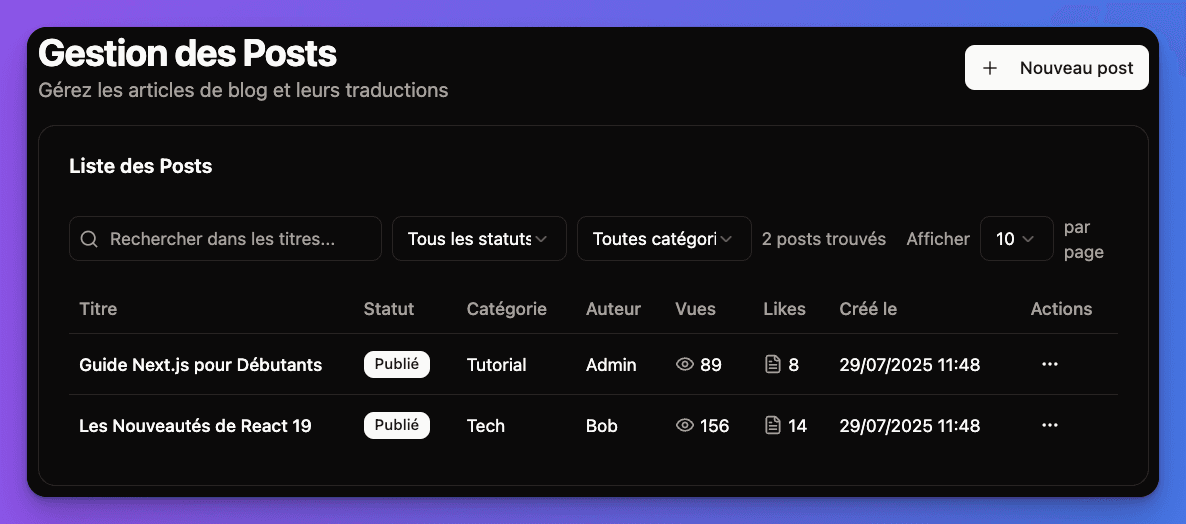
Dashboard Features
Content Management
- • Create and edit posts
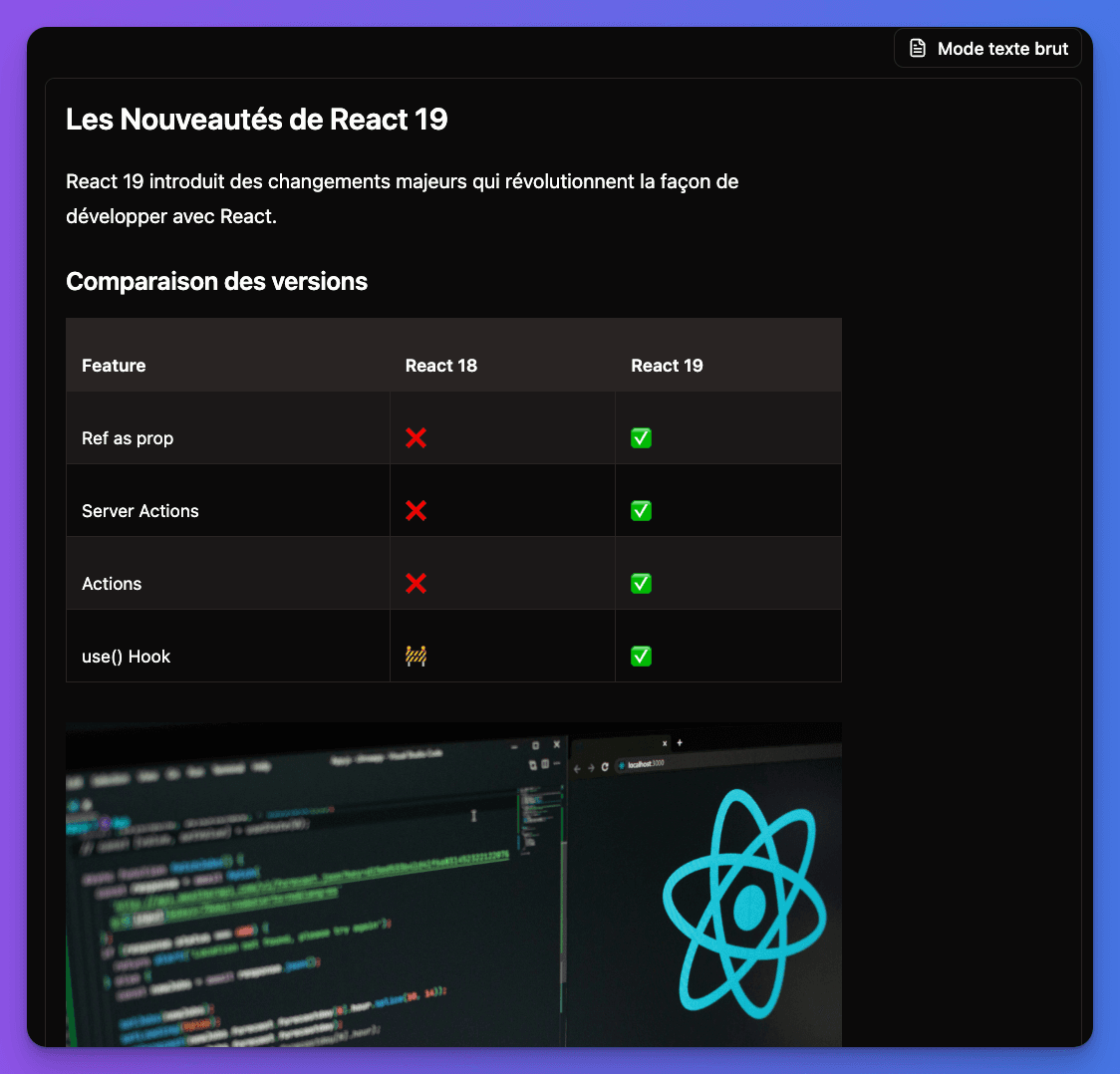
- • Markdown editor with preview
- • Image upload and management
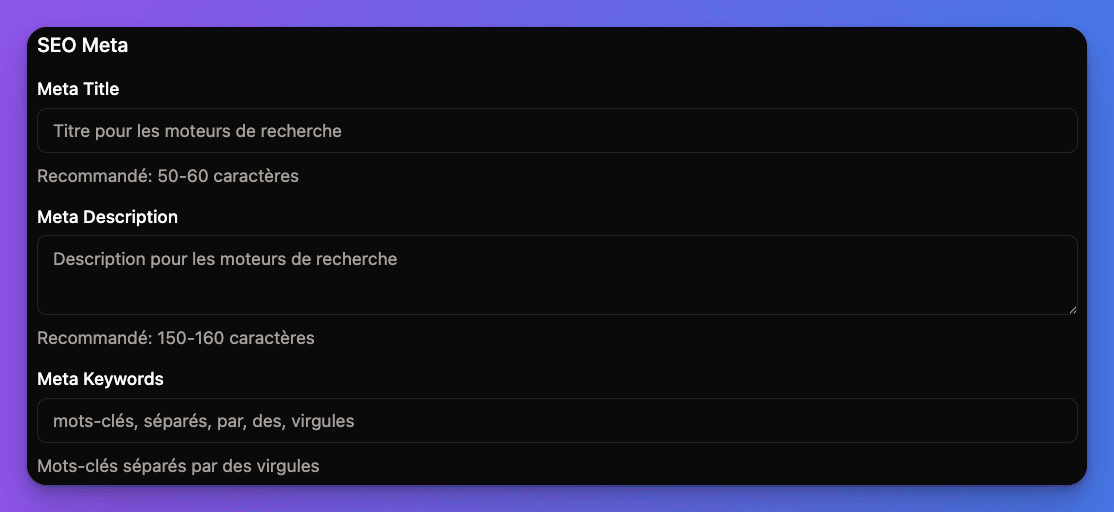
- • SEO metadata editor
- • Publishing workflow
Markdown Editor Interface:
Organization
- • Category management
- • Hashtag system
- • Content filtering and search
- • Bulk operations
- • Analytics dashboard
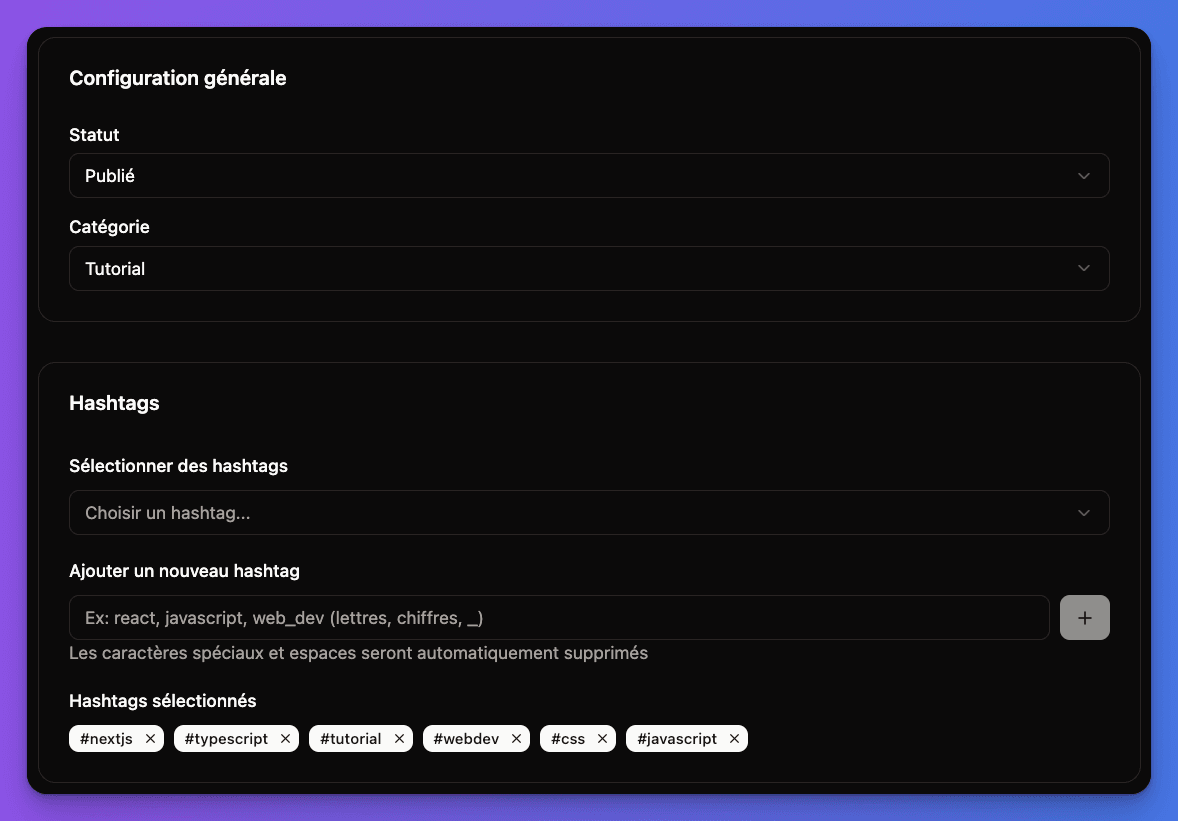
Categories and Status Management:
Creating Blog Posts
1
Access Admin Dashboard
- Login to your application
- Navigate to
/admin/blog - Click "New Post" button
Requires ADMIN or REDACTOR role permissions to create posts.
2
Fill Post Information
Basic Information:
- Title: Post title (required)
- Slug: URL-friendly identifier (auto-generated)
- Description: Meta description for SEO
- Category: Select or create content category
- Status: Draft or Published
Content:
- Markdown Editor: Write your content with live preview
- Image Upload: Add images directly in the editor
- Formatting: Full markdown support with toolbar
SEO Configuration:
3
Add Taxonomy
Categories:
- Select existing category or create new
- Used for content organization
- Affects navigation and filtering
Hashtags:
- Add relevant tags for discoverability
- Auto-complete from existing tags
- Used for content search and related posts
4
Save and Publish
Draft Mode:
- Save as draft for review
- Preview content before publishing
- Share draft links with team
Publishing:
- Set publishing date (immediate or scheduled)
- Change status to "Published"
- Content goes live automatically
Multi-Language Support
The database blog includes comprehensive internationalization features:
Language Management
1
Supported Languages
Configure supported languages in your application:
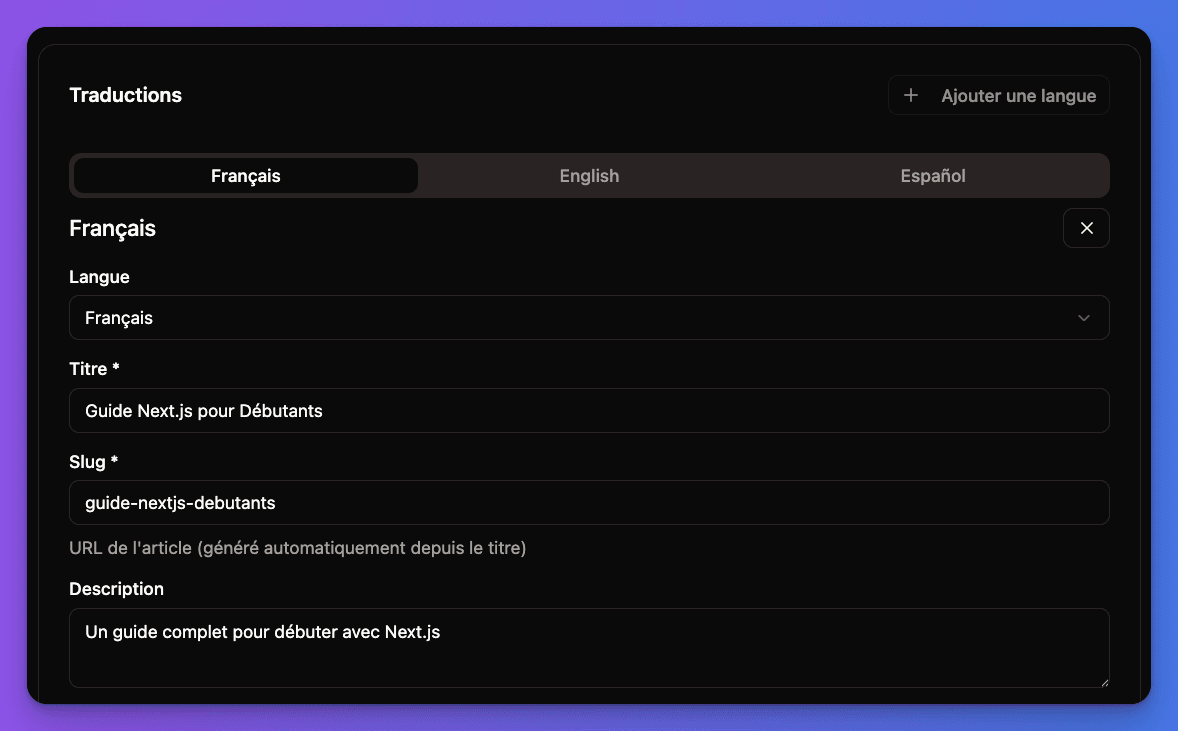
The blog system supports multiple languages including English, French, and Spanish.
Multi-language Blog Management:
2
Create Translations
In Admin Dashboard:
- Create Base Post in your primary language
- Click "Add Translation" button
- Select Target Language from dropdown
- Fill Translation Content:
- Translated title
- Localized slug
- Translated description
- Translated content
3
Language-Specific Content
Each translation includes translated title, slug, description, and content.
Example URLs:
- English:
/en/blog/getting-started-nextjs - French:
/fr/blog/commencer-avec-nextjs - Spanish:
/es/blog/empezar-con-nextjs
Translation Workflow
1
Content Creation Process
- Create Master Post in primary language
- Save as Draft for review
- Add Translations for each target language
- Review All Languages before publishing
- Publish Simultaneously or per language
2
Translation Status
Admin Dashboard shows:
- Languages available for each post
- Translation completeness status
- Last modified dates per language
- Missing translation indicators
3
Language Fallbacks
Automatic Fallback Logic:
- If translation missing, show primary language
- Fallback chain: requested → default → available
- SEO hreflang tags for language variants
- Language switcher shows available translations
Content Management Features
Publishing Workflow
Draft Management:
- Save work in progress as drafts
- Preview drafts with special URLs
- Share drafts with team for review
- Track revision history
typescript
// Post status management
enum PostStatus {
  DRAFT = 'DRAFT',
  PUBLISHED = 'PUBLISHED',
  ARCHIVED = 'ARCHIVED'
}Content Organization
1
Categories
Category Management:
- Create hierarchical categories
- Assign colors and icons
- SEO-friendly category pages
- Category-based navigation
2
Hashtag System
Tag Features:
- Auto-complete from existing tags
- Tag popularity and usage stats
- Tag-based content discovery
- Tag cloud visualization
3
Content Filtering
Admin Filters:
- Filter by status (draft, published)
- Filter by category
- Filter by author
- Filter by date range
- Search in title and content
- Language-specific filtering
4
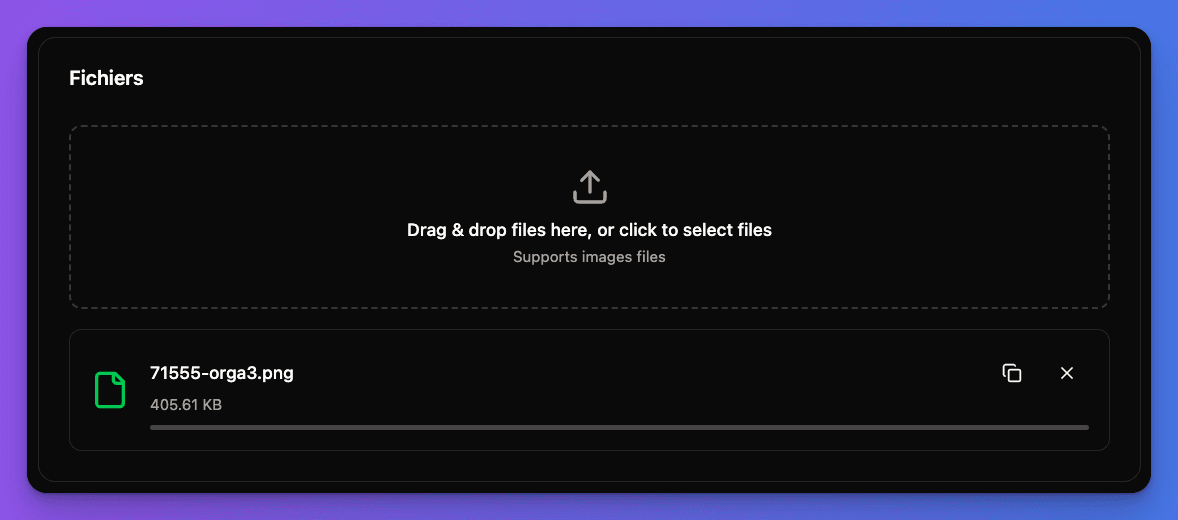
File Management
Media Management:
- Upload images directly in editor
- Organize media files
- Image optimization
- File browser with preview
File Management Interface:
Analytics and Insights
Content Analytics
Post Metrics
- • Page views per post
- • Reading time analytics
- • Social shares tracking
- • Comment engagement
- • Language performance
Content Insights
- • Popular categories
- • Top performing tags
- • Author performance
- • Content freshness
- • SEO performance
Performance Tracking
The blog system tracks basic analytics like page views and engagement metrics for each post.
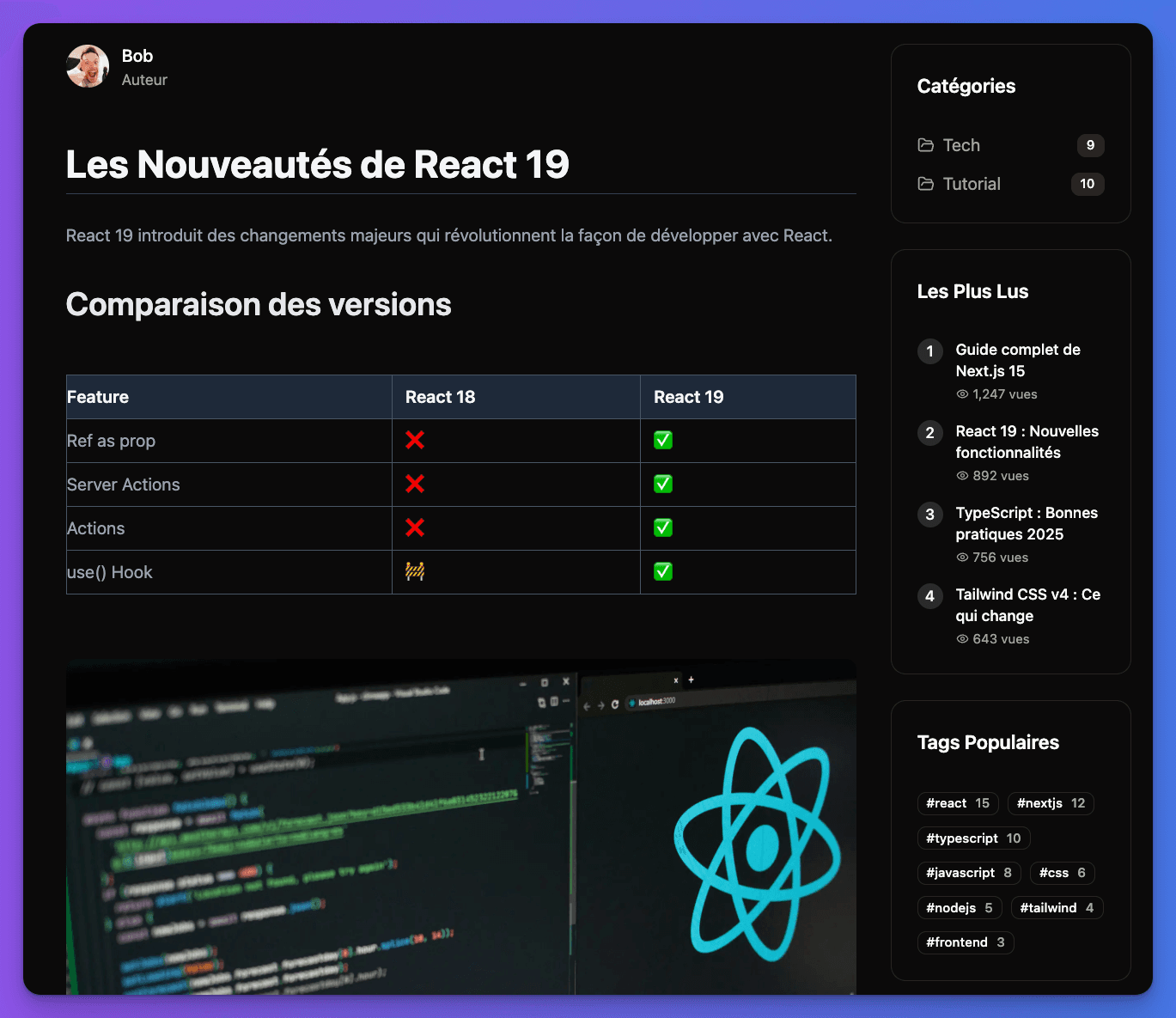
Frontend Blog Detail Page:
Database Schema
Core Tables
sql
CREATE TABLE post (
  id UUID PRIMARY KEY DEFAULT gen_random_uuid(),
  status post_status NOT NULL DEFAULT 'DRAFT',
  nb_view INTEGER DEFAULT 0,
  nb_like INTEGER DEFAULT 0,
  category_id UUID REFERENCES category(id),
  author_id UUID REFERENCES users(id),
  created_at TIMESTAMP DEFAULT NOW(),
  updated_at TIMESTAMP DEFAULT NOW(),
  published_at TIMESTAMP
);Blog Routes
The database blog is available at the following routes:
- Public Blog:
/blog- View published posts - Admin Dashboard:
/admin/blog- Create and manage posts (requires admin access) - Individual Posts:
/blog/[slug]- View specific post by slug
Database Blog Ready! Your dynamic blog system is fully configured with multi-language support, admin dashboard, and comprehensive content management features. Access /admin/blog to start creating content.