The boilerplate provides a comprehensive subscription management interface for users to handle their subscriptions, change plans, manage billing, and view usage limits.
Universal Feature: This subscription management interface works with both Better Auth and Custom Boilerplate payment systems. Users get the same management experience regardless of how they initially signed up.
Perfect for: Self-service subscription management that reduces support tickets and empowers users to control their billing and plan features.
User Subscription Interface
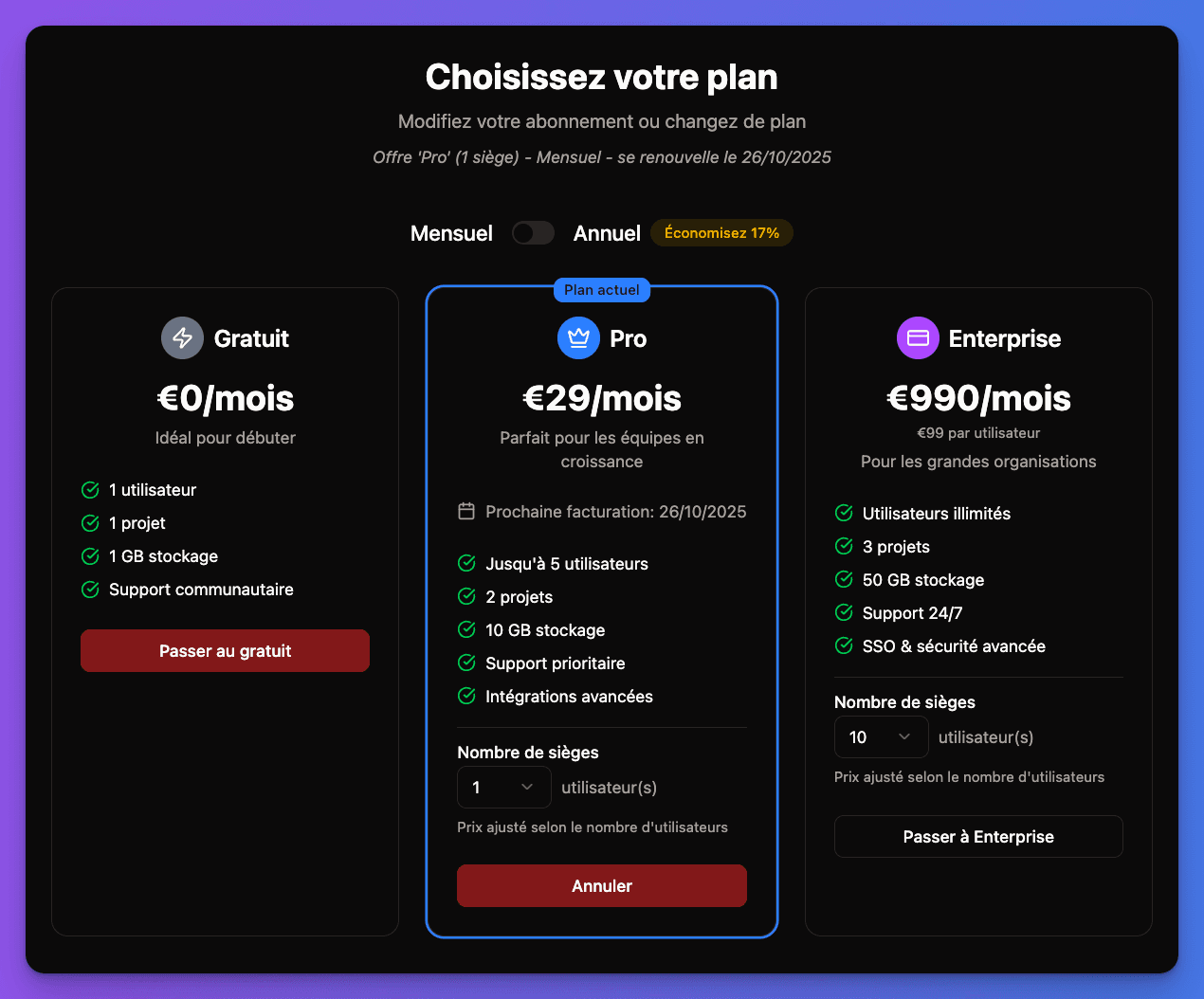
The subscription management is located at /account/billing/subscription/ and provides a complete self-service experience:
Subscription Overview
Users can view their current subscription status with:
Plan Information Display:
- Plan name and pricing
- Billing cycle (monthly/yearly)
- Next billing date
- Current usage vs. limits
- Active features and restrictions
Visual indicators:
- Plan status (active/canceled/past_due)
- Usage progress bars
- Feature availability badges
- Renewal status alerts
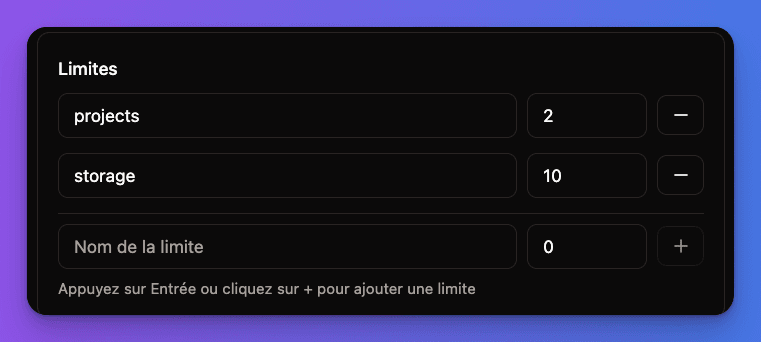
User Subscription Dashboard:
Plan Management Features
Plan Upgrades & Downgrades
Upgrade Process:
- User selects new plan from available options
- System calculates prorated pricing
- Immediate upgrade with feature activation
- Payment method charged for difference
- Confirmation email with new plan details
Downgrade Process:
- User selects lower-tier plan
- System shows feature comparison
- Downgrade effective at next billing cycle
- Grace period for current features
- Email confirmation of change
typescript
// Plan change flow (conceptual structure)
interface PlanChangeOptions {
  newPlanId: string
  immediate: boolean // true for upgrades, false for downgrades
  prorationBehavior: 'create_prorations' | 'none'
  billingCycleAnchor?: 'now' | 'unchanged'
}
Subscription Cancellation
Cancellation Options:
Immediate Effect:
- Subscription canceled right away
- Access removed immediately
- Refund processed (if applicable)
- Data retention period begins
Use cases:
- User wants immediate cessation
- Service not meeting needs
- Account security concerns
Reactivation Options
Reactivation Flow:
- User visits subscription page
- "Reactivate Subscription" option available
- Confirms reactivation with same or new plan
- Payment method verification
- Immediate service restoration
Reactivation Benefits:
- Data restoration (within retention period)
- Previous settings preserved
- Historical data maintained
- Seamless user experience
Multi-Seat Management
For team/organization subscriptions:
Seat Allocation
Seat Management Features:
- Current seat usage vs. purchased seats
- Add or remove seats dynamically
- Prorated billing for seat changes
- User assignment to seats
- Seat utilization tracking
Team Member Access
Member Management:
- Invite team members to subscription
- Assign roles and permissions per seat
- Remove members and reclaim seats
- Transfer ownership between members
- Usage tracking per member
Billing Responsibility
Team Billing Options:
- Owner pays for all seats
- Distributed billing per member
- Department-based allocation
- Usage-based seat pricing
Payment Method Management
Saved Payment Methods
Payment Method Features:
- Multiple payment methods supported
- Default payment method selection
- Automatic retry on failed payments
- Payment method expiration alerts
- Secure tokenization
Payment Method Types
Supported Cards:
- Visa, Mastercard, American Express
- Automatic card updates
- Expiration date management
- CVV verification for changes
- 3D Secure authentication
Security Features:
- PCI DSS compliance
- Tokenized storage
- Fraud detection
- Secure transmission
Billing History & Invoices
Invoice Management
Invoice Features:
- Complete billing history
- Downloadable PDF invoices
- Payment status tracking
- Tax information included
- Dispute resolution links
Usage-Based Billing
Metered Billing Support:
- Real-time usage tracking
- Usage-based invoice line items
- Overage charge calculations
- Usage alerts and notifications
- Historical usage reports
Subscription Notifications
Email Notifications
Automatic Emails for:
- Subscription activated
- Payment successful
- Payment failed
- Plan changed
- Subscription canceled
- Renewal reminders
In-App Notifications
Dashboard Alerts:
- Payment due reminders
- Usage limit warnings
- Feature restriction notices
- Subscription status changes
- Account action required
Self-Service Features
Subscription Pause/Resume
Temporary Suspension:
- Pause subscription for travel/break
- Maintain data during pause
- Resume with same settings
- Prorated billing for partial periods
Subscription Gifting
Gift Subscriptions:
- Purchase subscriptions for others
- Gift redemption process
- Transfer ownership options
- Gift certificate generation
Plan Recommendations
Smart Suggestions:
- Usage-based plan recommendations
- Cost optimization suggestions
- Feature upgrade prompts
- Downgrade warnings for unused features
Developer Integration
Subscription Status API
Check Subscription Status:
typescript
// Example API structure for subscription status
interface SubscriptionStatus {
  active: boolean
  planId: string
  currentPeriodEnd: Date
  cancelAtPeriodEnd: boolean
  usage: {
    [feature: string]: {
      current: number
      limit: number
      percentage: number
    }
  }
}
Webhook Integration
Subscription Events:
- Listen for subscription changes
- Update user access immediately
- Sync with internal systems
- Trigger business logic
Testing Subscription Management
1
Create Test Subscription
- Use Stripe test cards to create subscriptions
- Navigate to
/account/billing/subscription/ - Verify all subscription details display correctly
2
Test Plan Changes
- Attempt plan upgrade with test payment
- Try plan downgrade (check end-of-period)
- Verify prorated billing calculations
- Check email notifications
3
Test Cancellation Flow
- Cancel subscription (immediate and end-of-period)
- Verify access changes appropriately
- Test reactivation process
- Check data retention/restoration
4
Verify Usage Tracking
- Check usage limits display correctly
- Test usage warnings (if applicable)
- Verify feature restrictions work
- Test overage handling
Self-service subscription management ready! Users can now fully manage their subscriptions, reducing support burden and increasing user satisfaction.