The boilerplate provides 4 different checkout methods to suit various use cases, from embedded forms for the best user experience to payment links for simple sharing.
Perfect for: Choosing the optimal checkout experience based on your business needs, user experience requirements, and technical preferences.
Available Checkout Methods
The checkout method is controlled by the NEXT_PUBLIC_STRIPE_CHECKOUT_TYPE environment variable:
bash
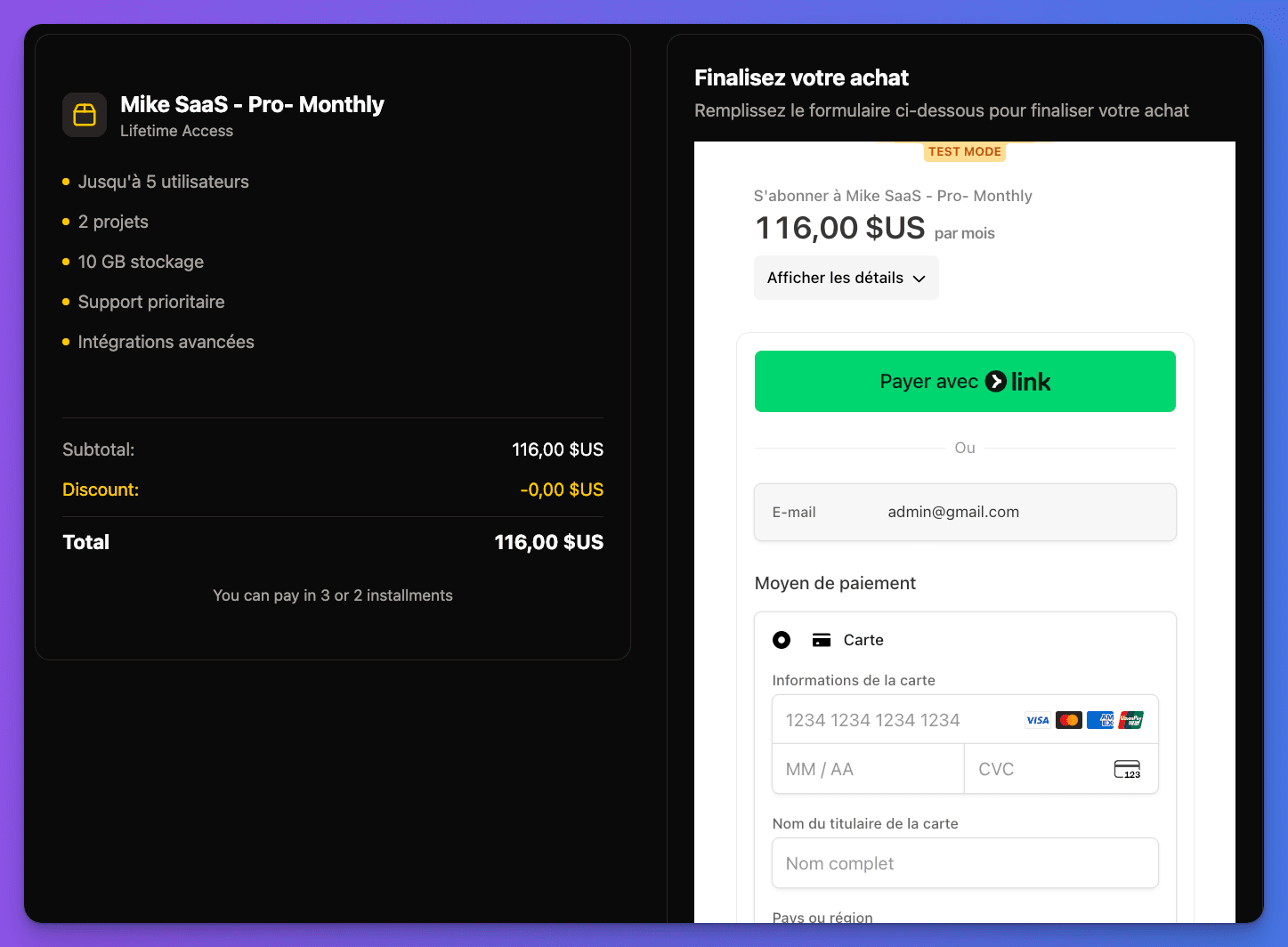
NEXT_PUBLIC_STRIPE_CHECKOUT_TYPE="EmbededForm"Best for: Optimal user experience with no redirects
Component location: src/components/features/checkout-stripe/embed/
Features:
- Stripe Elements integration
- Real-time validation
- Custom styling
- Mobile-optimized
- No page redirects
Unified Checkout Page
All checkout methods are rendered through the main checkout page:
typescript
// From src/components/features/checkout-stripe/checkout-page.tsx
export default async function CheckoutPage({
  priceId,
  couponId,
  seats = 1,
  guest = false,
  enableInstallments = false,
}: {
  priceId: string
  couponId: string
  seats: number
  guest: boolean
  enableInstallments?: boolean
})
Checkout Configuration
The checkout method is dynamically determined:
typescript
// From src/components/features/checkout-stripe/checkout-page.tsx
const checkoutConfig = getCheckoutConfig({
  enableInstallments,
  recapInfo,
  priceId,
  seats,
  guest,
  isRecurring,
})
Method Details
🎯 Embedded Form (Recommended)
Implementation:
tsx
// From checkout-page.tsx
<CheckoutFormEmbedded
  priceId={priceId}
  seats={seats}
  couponId={couponId}
  guest={guest}
/>
Features:
- Best UX: No page redirects, faster checkout
- Custom Styling: Match your brand design
- Real-time Validation: Instant feedback on form fields
- Mobile Optimized: Responsive design for all devices
- Secure: Stripe Elements handle sensitive data
When to use:
- You want the best user experience
- You need custom styling
- Mobile optimization is important
- You prefer embedded solutions
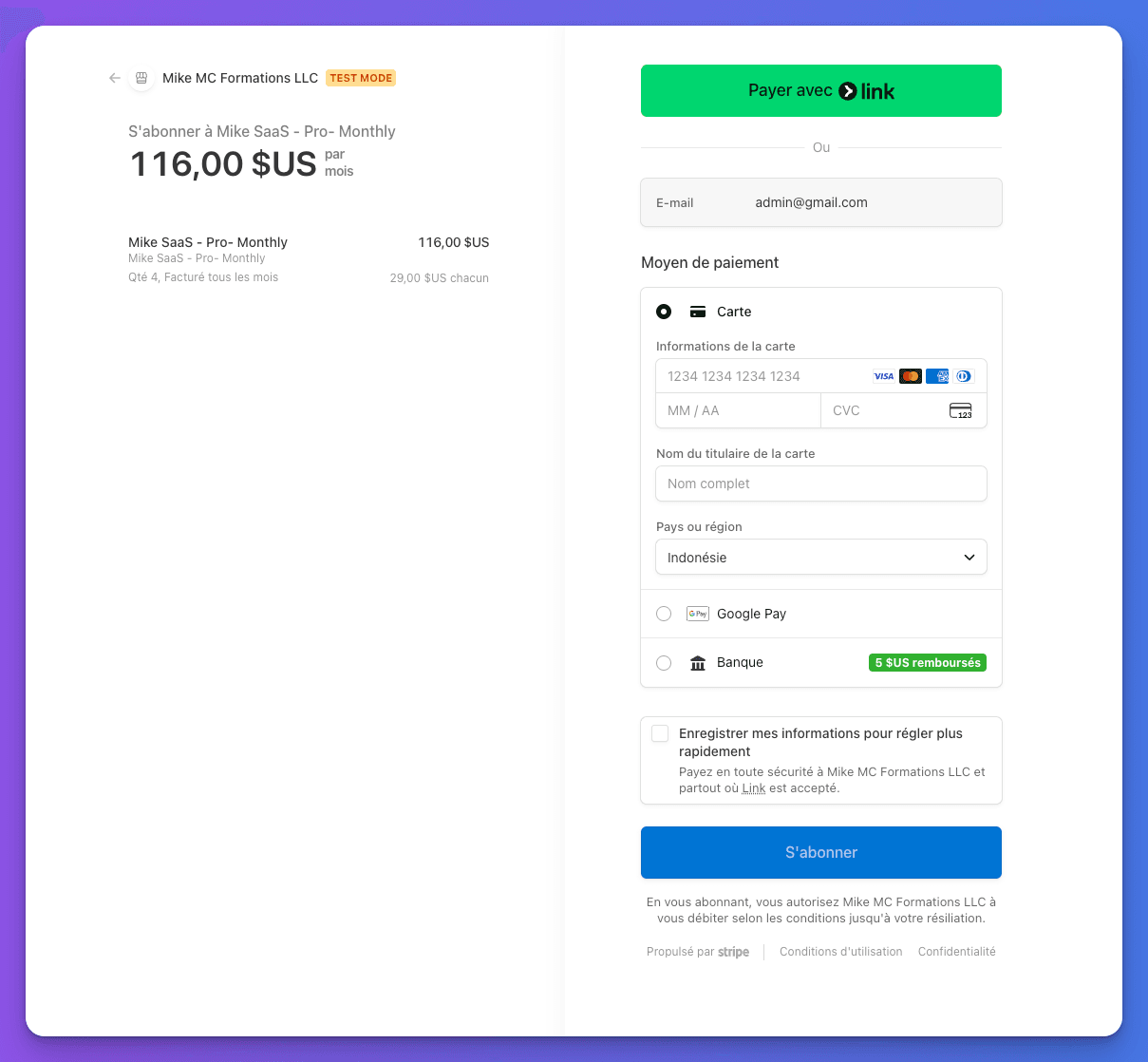
🔗 External Redirect
Implementation:
tsx
// From checkout-page.tsx
<CheckoutButtonExternal
  priceId={priceId}
  seats={seats}
  couponId={couponId}
  guest={guest}
/>
Features:
- Quick Setup: Minimal integration required
- Stripe Security: PCI compliance handled by Stripe
- Payment Methods: All Stripe payment methods available
- Localization: Automatic language detection
- Mobile Apps: Works well with mobile redirects
When to use:
- You want minimal development time
- PCI compliance is a concern
- You need all payment methods
- Mobile app integration
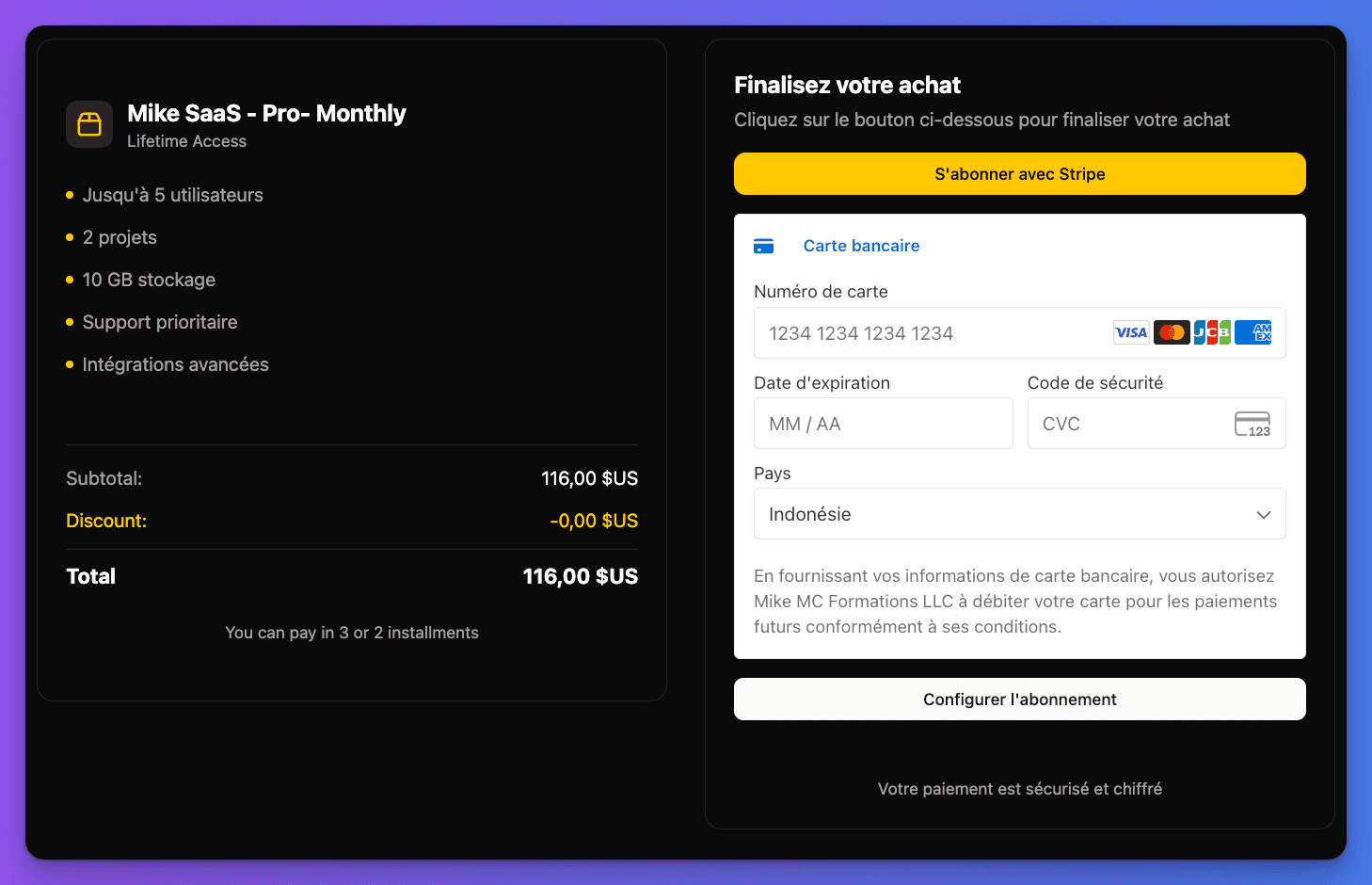
⚛️ React Stripe Integration
Implementation:
tsx
// From checkout-page.tsx
<CheckoutButtonReactStripe
  priceId={priceId}
  seats={seats}
  couponId={couponId}
  guest={guest}
/>
Features:
- Custom Components: Build your own checkout UI
- Advanced Logic: Complex validation and flows
- Integration Control: Full control over the process
- React Ecosystem: Use React libraries and patterns
- Custom Validation: Implement business-specific rules
When to use:
- You need complex custom checkout flows
- Advanced validation requirements
- Integration with React ecosystem
- Custom business logic requirements
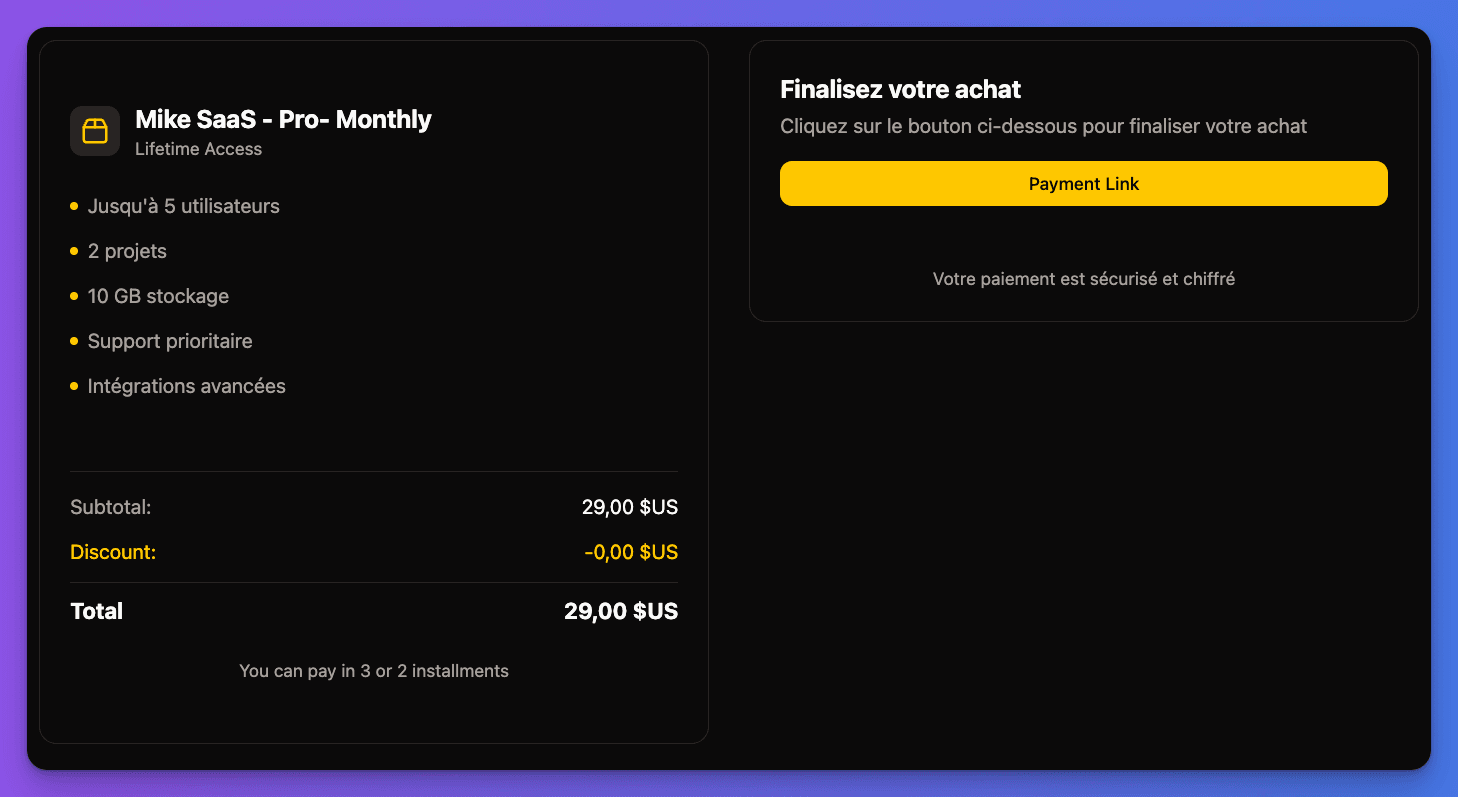
🔗 Payment Links
Implementation:
tsx
// From checkout-page.tsx
<CheckoutPaymentLink
  priceId={priceId}
  seats={seats}
  couponId={couponId}
/>
Features:
- No Code: Create payment links in Stripe dashboard
- Easy Sharing: Share via email, social media, or messaging
- Quick Setup: Fastest implementation method
- Mobile Friendly: Optimized for mobile sharing
- Stripe Hosted: Fully managed by Stripe
When to use:
- You need to share payment links
- Minimal development resources
- Social media or email campaigns
- Quick payment collection
Advanced Features (Custom System Only)
Better Auth users: These advanced features are not available with Better Auth's external checkout. Consider using the Custom System if you need these capabilities.
Guest Checkout
All Custom System checkout methods support guest checkout with automatic user account creation:
tsx
// Enable guest checkout
<CheckoutPage
  priceId="price_123"
  couponId=""
  seats={1}
  guest={true} // Allow checkout without account creation
/>
Guest Checkout Workflow:
- Guest Payment: User completes payment without creating account
- Webhook Processing:
handleGuestCheckoutSessionCompletedfunction processes the event - User Creation: System automatically creates user account from checkout data
- Subscription Linking: Links the new user to their paid subscription
- Account Access: User can access their account and manage subscription
Technical Implementation:
typescript
// From src/lib/stripe/stripe-events.ts
function detectGuestCheckoutMode(metadata: Record<string, string>): boolean {
  const referenceId = metadata.referenceId
  const guestCheckoutFlag = metadata.guest_checkout === 'true'

  const isGuestByReferenceId = referenceId === 'guest'
  const isGuestByFlag = guestCheckoutFlag
  const isGuestCheckout = isGuestByReferenceId || isGuestByFlag

  return isGuestCheckout
}Benefits:
- Zero Friction: No account creation required during checkout
- Higher Conversion: Reduces checkout abandonment
- Automatic Account: User gets account access post-purchase
- Seamless Experience: User can manage subscription immediately
- Data Integrity: Proper linking between user, customer, and subscription
Payment Installments (Custom System)
Enable installments for supported payment methods in the Custom System:
tsx
// Enable installments
<CheckoutPage
  priceId="price_123"
  couponId=""
  seats={1}
  guest={false}
  enableInstallments={true} // Enable installment payments
/>
Features:
- Klarna, Affirm, and other BNPL options
- Automatic eligibility checking
- Increased purchasing power
- Higher conversion rates
Multi-seat Subscriptions (Custom System)
Support for team/organization subscriptions in the Custom System:
tsx
// Multi-seat subscription
<CheckoutPage
  priceId="price_123"
  couponId=""
  seats={5} // Number of seats/users
  guest={false}
/>
Pricing:
- Per-seat pricing calculation
- Volume discounts
- Prorated billing
- Seat management post-purchase
Checkout URL Parameters (Custom System)
The Custom System checkout page at /checkout/[priceId] supports various URL parameters:
Better Auth users: URL parameters are not available with Better Auth's external checkout system.
typescript
// From src/app/[locale]/(public)/checkout/[priceId]/page.tsx
interface CheckoutParams {
  priceId: string        // Stripe Price ID (required)
  couponCode?: string    // Coupon/discount code
  seats?: number         // Number of seats for team subscriptions
  guest?: 'true'         // Enable guest checkout
  split?: 'true'         // Enable installment payments
}
Example URLs:
bash
# Basic checkout
/checkout/price_1234567890

# Guest checkout with coupon
/checkout/price_1234567890?guest=true&couponCode=SAVE20

# Team subscription with 5 seats
/checkout/price_1234567890?seats=5

# Installment checkout for guest
/checkout/price_1234567890?guest=true&split=true
Environment Configuration
Environment-based Selection
bash
# Choose your checkout method
NEXT_PUBLIC_STRIPE_CHECKOUT_TYPE="EmbededForm"    # Recommended
# NEXT_PUBLIC_STRIPE_CHECKOUT_TYPE="ExternalForm"  # Quick setup
# NEXT_PUBLIC_STRIPE_CHECKOUT_TYPE="ReactStripeForm" # Advanced
# NEXT_PUBLIC_STRIPE_CHECKOUT_TYPE="PaymentLink"   # Simple
Method Comparison
| Feature | Embedded | External | React Stripe | Payment Link |
|---|---|---|---|---|
| Setup Complexity | Medium | Low | High | Very Low |
| User Experience | Excellent | Good | Excellent | Good |
| Customization | High | Low | Very High | None |
| Mobile Optimization | Excellent | Good | Excellent | Good |
| PCI Compliance | Stripe Elements | Stripe Hosted | Stripe Elements | Stripe Hosted |
| Payment Methods | Most | All | Most | All |
| Development Time | Medium | Low | High | Very Low |
Testing Checkout Methods
1
Set Checkout Method
Choose your method in .env.local:
bash
NEXT_PUBLIC_STRIPE_CHECKOUT_TYPE="EmbededForm"2
Test with Stripe Test Cards
Use Stripe test cards for different scenarios:
# Successful payment
4242424242424242

# Declined card
4000000000000002

# Requires authentication
4000002500003155
3
Verify Method Loading
- Navigate to a checkout page
- Confirm the correct method loads
- Test the complete payment flow
- Check webhook processing
4
Test Advanced Features
- Try guest checkout (if enabled)
- Test installment options (if supported)
- Verify multi-seat calculations
- Test coupon code application
Method switching: You can change checkout methods anytime by updating the environment variable. Each method uses the same underlying payment processing.
Flexible checkout ready! Choose the checkout method that best fits your business needs and user experience requirements.