Organizations enable multi-tenant functionality where users can create workspaces, invite team members, and collaborate with role-based permissions.
Perfect for: SaaS applications, team collaboration tools, B2B platforms, and enterprise applications.
How to Activate
1
Enable organization mode
bash
# Set billing mode to organization-based
NEXT_PUBLIC_BILLING_MODE="organization"

# Enable organization pages
NEXT_PUBLIC_ENABLED_PAGES="organization,invitation,account,settings,subscription"

# Email service required for invitations
RESEND_API_KEY="re_your_resend_api_key"
EMAIL_FROM="noreply@yourdomain.com"
2
That's it!
Organization features automatically appear in user account at /[locale]/account/organizations.
How Organizations Work
Multi-tenant Concept
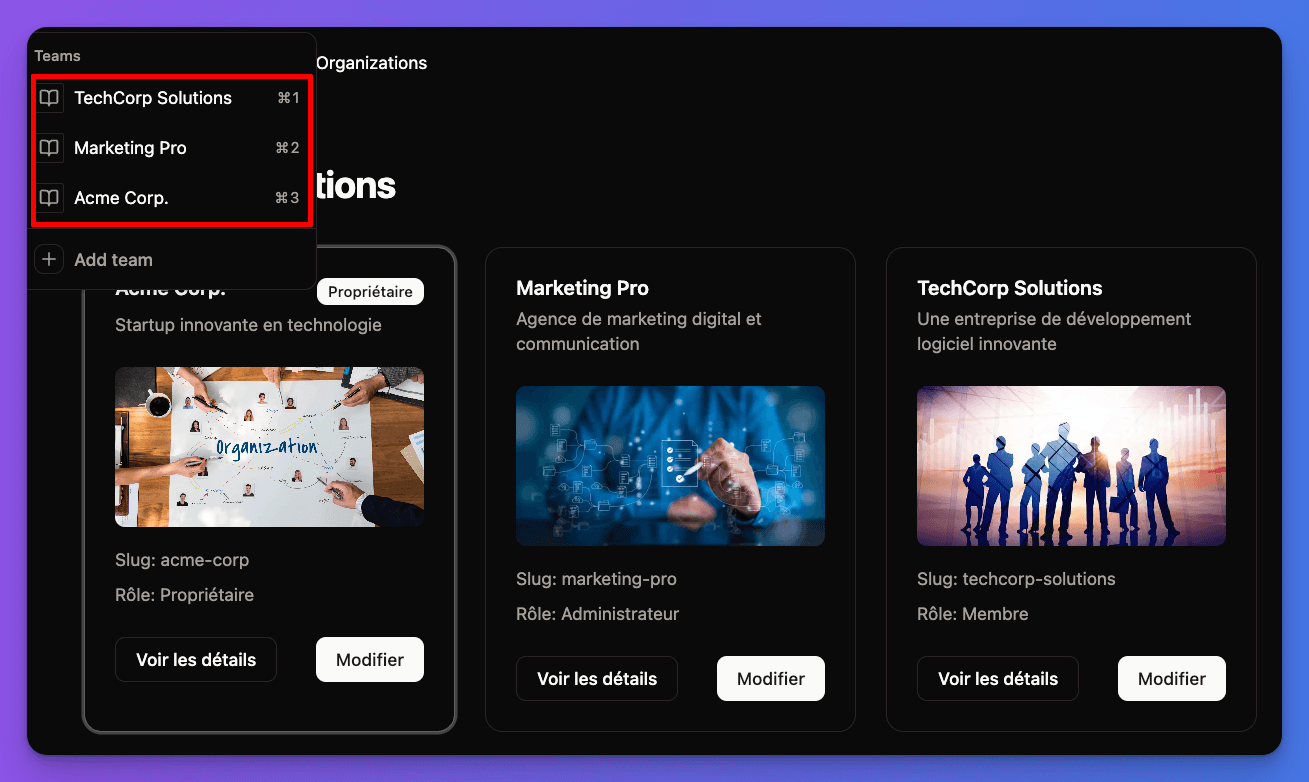
Key concept: One user can belong to multiple organizations with different roles in each organization.
Organization structure:
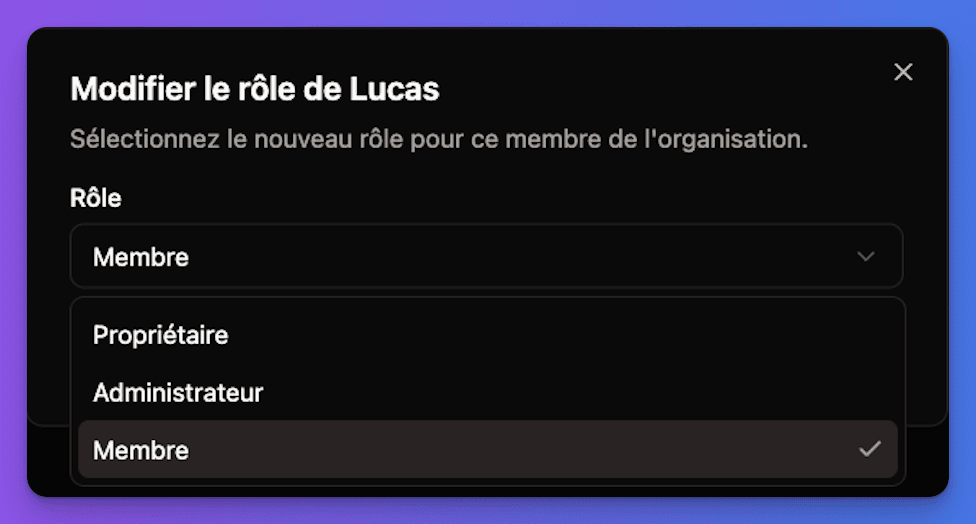
- Owner - Full control, billing, can delete organization
- Admin - Manage members, settings, but cannot delete
- Member - Basic access, use organization features
User experience:
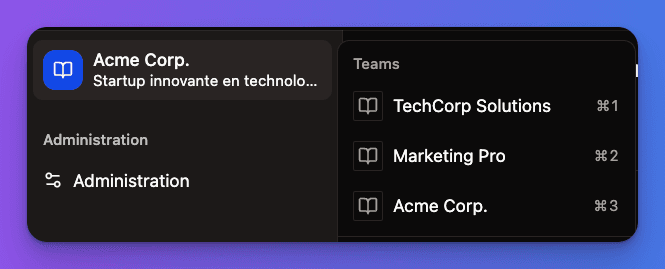
- Users switch between organizations
- Each organization has its own data and settings
- Invitations allow users to join multiple organizations
Organization Selection Interface:
Organization Management
Creating Organizations
1
Go to organizations page
User visits /[locale]/account/organizations to see all their organizations.
2
Create new organization
Click "Create Organization" button (if user has permission).
3
Set organization details
- Name: Organization display name
- Description: Optional description
- Settings: Initial configuration
4
User becomes owner
Creator automatically becomes the organization owner with full permissions.
Creation limits: By default, users cannot create organizations (allowUserToCreateOrganization: false). Only admins can create organizations, or this setting can be changed.
Organization Settings
Location: /[locale]/account/organizations/[id]/edit
Available settings:
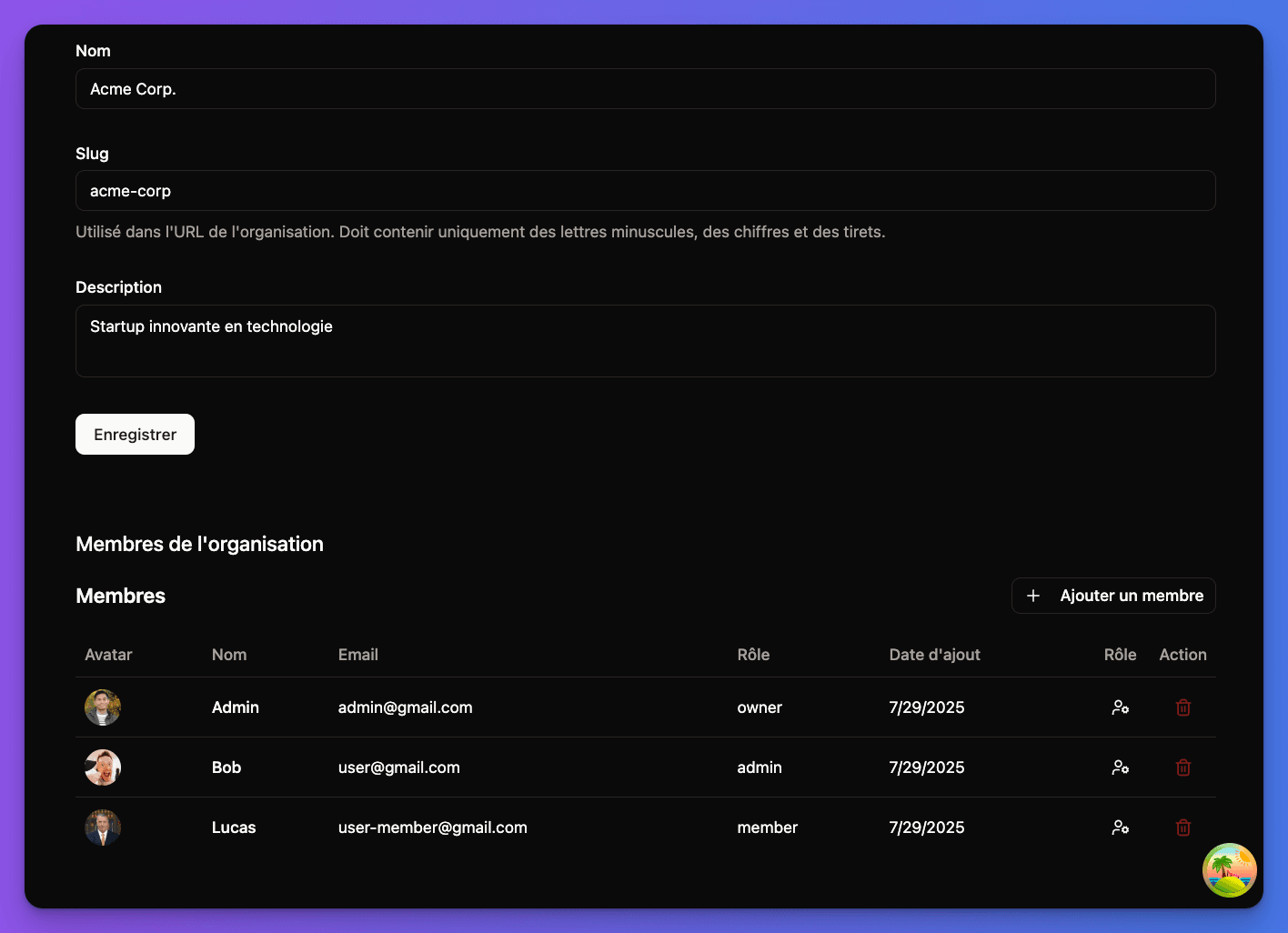
- Basic info - Name, description, avatar
- Member management - Invite, remove, change roles
- Billing settings - Subscription management (if enabled)
- Danger zone - Delete organization (owner only)
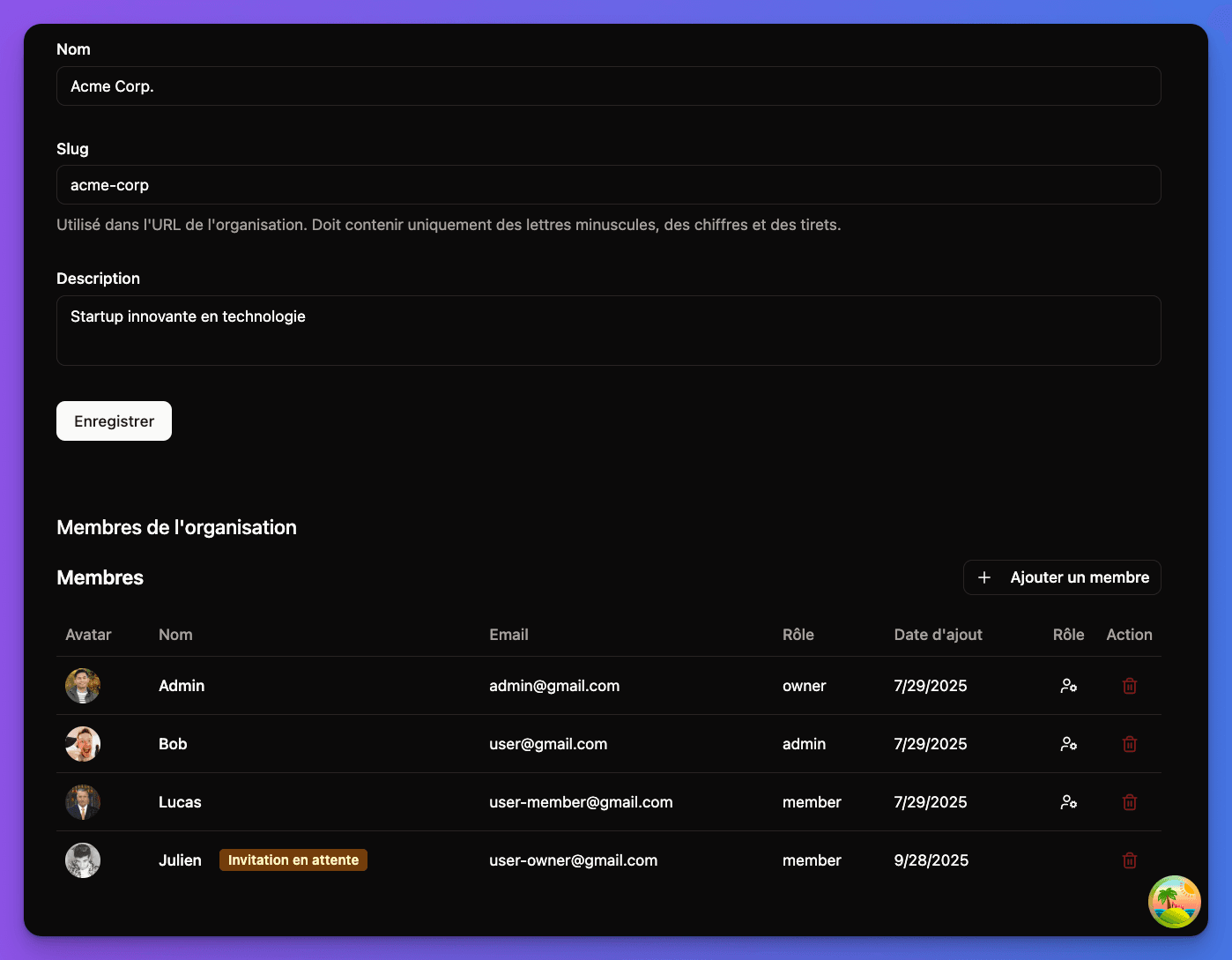
Organization Members Management:
Member Roles Management:
Member Management
Inviting Members
1
Go to organization settings
Organization owner/admin visits /[locale]/account/organizations/[id] and clicks "Invite Members".
2
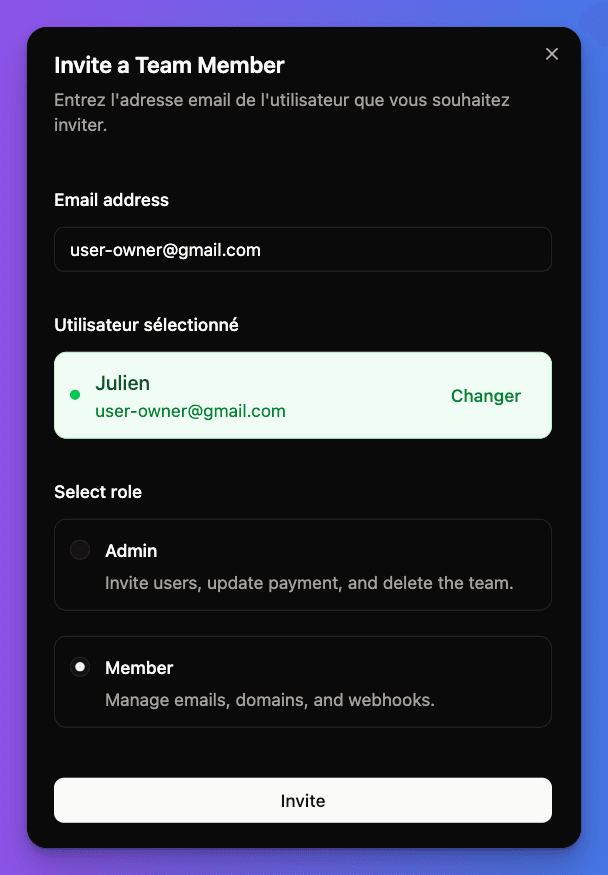
Send invitation
- Enter email address of person to invite
- Select role (Admin or Member)
- Add optional invitation message
3
Invitation email sent
Invitee receives email with invitation link and organization details.
4
Accept invitation
Invitee clicks link, goes to /[locale]/account/invitations/[id], and can accept or decline.
Member Roles & Permissions
Full organization control:
- Manage all settings and members
- Handle billing and subscriptions
- Delete organization
- Transfer ownership
- Cannot be removed by others
Limitations: Only one owner per organization
Invitation Management
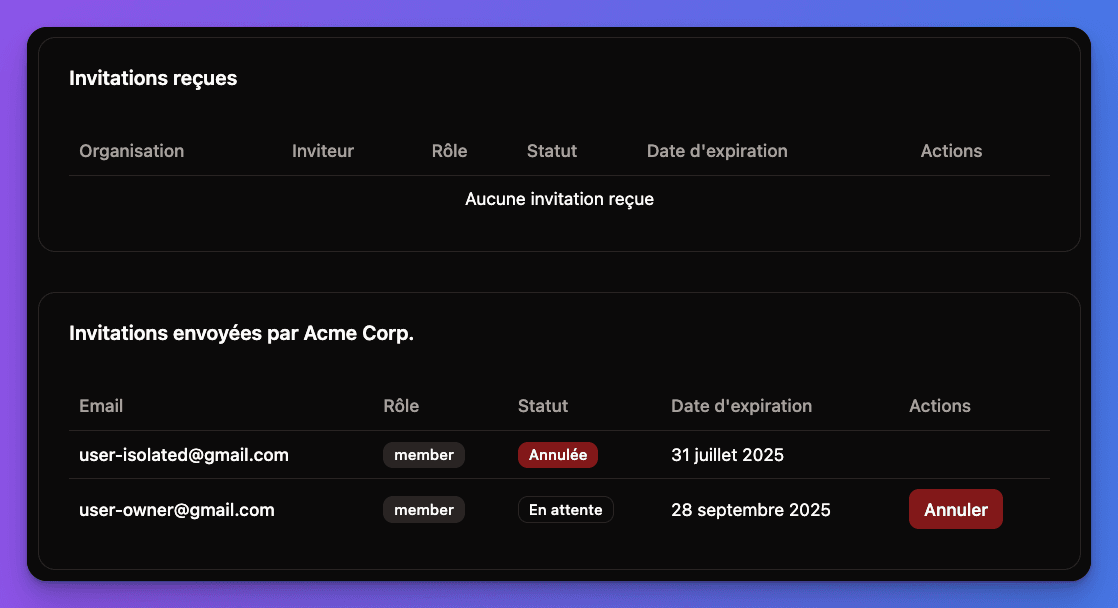
Invitation limits: 10 pending invitations per organization (configurable)
Invitation features:
- Pending invitations - Track sent invitations
- Expiration - Invitations expire after set time
- Resend - Can resend invitations if needed
- Cancel - Can cancel pending invitations
User invitation page: /[locale]/account/invitations
- View all pending invitations
- Accept or decline each invitation
- See organization details before joining
Detailed Members Management Interface:
Billing Mode Impact
Organization Billing vs User Billing
bash
NEXT_PUBLIC_BILLING_MODE="organization"How it works:
- Organization pays for subscriptions
- Owner/Admin manages billing
- All members benefit from organization's subscription
- Per-organization pricing model
Best for: Team subscriptions, B2B SaaS, collaborative tools
Subscription Management
With organization billing:
- Subscriptions are attached to organizations
- Only owners can manage billing
- Members benefit from organization subscription
- Usage/limits are per-organization
Subscription pages:
/[locale]/account/billing/subscription- Current organization's subscription- Organization switching affects which subscription is shown
Better Auth Configuration
The organization system uses Better Auth's organization plugin:
typescript
// In src/lib/better-auth/auth.ts
organization({
  invitationLimit: 10,              // Max pending invitations
  membershipLimit: 10,              // Max members per organization
  allowUserToCreateOrganization: false,  // Only admins can create

  async sendInvitationEmail(data) {
    const inviteLink = `${env.NEXT_PUBLIC_APP_URL}/invitations/${data.id}`

    // Send via notification service
    await createTypedNotificationService({
      userId: invitedUser.id,
      type: NotificationTypeConst.organization_invitation,
      metadata: {
        organizationId: data.organization.id,
        organizationName: data.organization.name,
        invitedBy: data.inviter.user.name,
        role: data.role,
      }
    })
  }
})
Key configuration:
- Invitation limit: 10 pending invitations per organization
- Member limit: 10 members per organization
- User creation: Disabled by default (admin-only)
- Email notifications: Automatic via notification service
Organization Pages Structure
src/app/[locale]/(app)/account/
├── organizations/
│   ├── page.tsx                    # List all user's organizations
│   └── [id]/
│       ├── page.tsx                # Organization details & members
│       └── edit/
│           └── page.tsx            # Organization settings
└── invitations/
    ├── page.tsx                    # List pending invitations
    └── [id]/
        └── page.tsx                # Accept/decline specific invitation
User Experience Flows
Creating and Managing Organization
1
Create organization
Admin creates organization from /[locale]/account/organizations.
2
Invite team members
Owner goes to organization settings and invites members by email.
3
Members join
Invited users receive emails, visit invitation page, and accept to join.
4
Collaborate
All organization members can now access shared organization features and data.
Switching Organizations
User can:
- View all organizations they belong to
- Switch active organization context
- See different data/settings per organization
- Have different roles in different organizations
Common Issues & Solutions
"Cannot create organization" error?
- Check
allowUserToCreateOrganizationsetting - Verify user has admin permissions
- Ensure organization limits not exceeded
- Check if feature is enabled in pages config
Invitation emails not arriving?
- Verify
RESEND_API_KEYis configured - Check
EMAIL_FROMdomain is verified - Look in spam/junk folders
- Ensure notification service is working
Organization features not visible?
- Check
NEXT_PUBLIC_BILLING_MODE="organization" - Verify
NEXT_PUBLIC_ENABLED_PAGESincludes "organization,invitation" - Restart server after environment changes
- Ensure user is logged in and verified
Security & Permissions
Built-in security features:
- Role-based access control (RBAC)
- Invitation token validation
- Member limits prevent abuse
- Owner-only sensitive operations
Permission validation:
- All organization operations check user roles
- API endpoints validate organization membership
- UI shows/hides features based on permissions
- Database queries filter by organization access
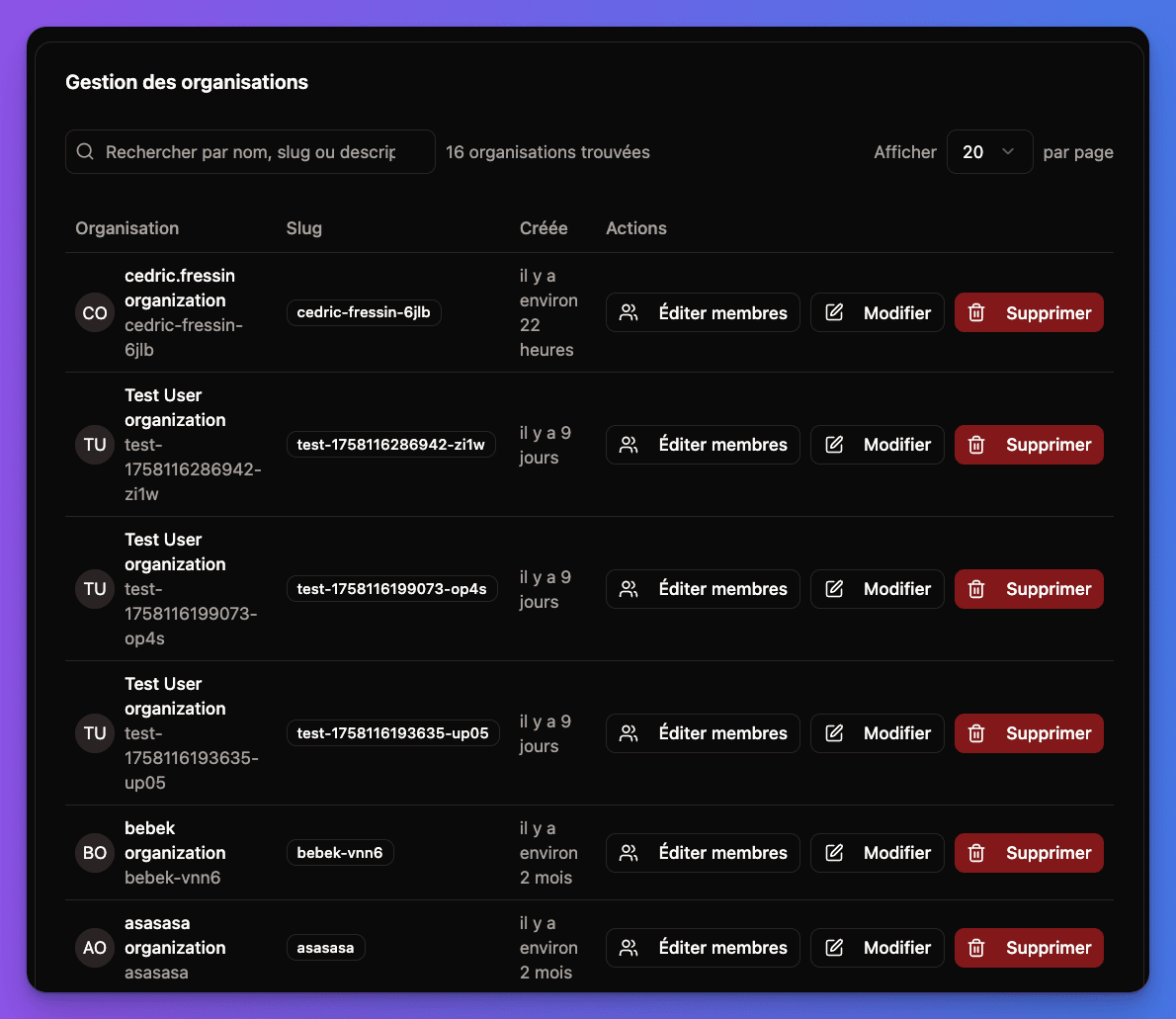
Administration Interface:
Testing Checklist
1
Test organization creation
- Create new organization (if permitted)
- Verify user becomes owner
- Test organization settings page
- Update organization details
2
Test member invitations
- Invite member by email
- Check invitation email is sent
- Accept invitation with different user
- Verify member appears in organization
3
Test role management
- Change member roles
- Test permission differences
- Try removing members
- Test owner-only operations
4
Test billing integration
- Check subscription shows for organization
- Test billing management (owner only)
- Verify member benefits from org subscription
All working? Your application now supports full multi-tenant organizations with team management and role-based permissions!